Personalized gift tags add a thoughtful touch to any present, transforming a simple gift into a cherished keepsake. In this guide, we will explore the fascinating world of creating unique gift tags using Cricut pens, highlighting the materials needed and offering tips for selecting the perfect design for every occasion. Whether you are preparing for birthdays, holidays, or special events, personalized tags can elevate your gift-giving experience, making it memorable and meaningful.
By understanding the tools and techniques available through Cricut pens and Design Space, you will gain the confidence to craft beautiful tags that reflect your personal style and sentiments. The process not only allows for creativity but also provides a wonderful opportunity to connect with loved ones through your handmade creations.
Introduction to Personalized Gift Tags
Personalized gift tags play a significant role in enhancing the experience of gifting by adding a unique and thoughtful touch. These tags can convey heartfelt messages, reflect the recipient’s personality, or match the theme of the occasion. By customizing gift tags, you not only make your present more memorable but also showcase the effort and care put into the gift preparation process.
To create beautiful personalized gift tags using Cricut pens, certain materials are essential. The primary items needed include a Cricut machine, Cricut pens in your choice of colors, cardstock or specialty paper for the tags, a cutting mat, and a computer or device to design the tag templates. Having a variety of Cricut pens allows for different styles and effects, from elegant script to bold graphics.
Additionally, the cardstock should be selected based on the desired thickness and texture, which can significantly impact the final appearance of the tags.
Tips for Choosing the Right Designs for Various Occasions
Selecting the appropriate design for your personalized gift tags is crucial, as it should resonate with the occasion and the recipient’s preferences. Consider the following guidelines to enhance your design process:
When designing your gift tags, it is essential to match the aesthetic to the occasion. For instance, choose floral patterns for weddings, whimsical themes for children’s birthdays, or elegant designs for formal events. Customizing the color palette to align with the occasion’s theme also ensures cohesion.
- Seasonal Considerations: Incorporate seasonal motifs, such as snowflakes for winter holidays, blooming flowers for spring, or autumn leaves for fall celebrations.
- Recipient’s Interests: Tailor the design to reflect the recipient’s hobbies or favorite colors, making the gift tag feel more personalized and special.
- Text Styles: Opt for fonts that match the tone of the occasion—formal scripts for weddings or playful fonts for casual gatherings.
- Size and Shape: Experiment with different shapes, such as circles, hearts, or stars, which can add a unique aspect to your gift presentation.
- Include Personal Touches: Add elements like the recipient’s name or a special date to make the gift tag stand out.
Incorporating these tips while designing personalized gift tags with Cricut pens can elevate the overall appearance of your gifts, making them more heartfelt and meaningful to the recipient.
Getting Started with Cricut Pens
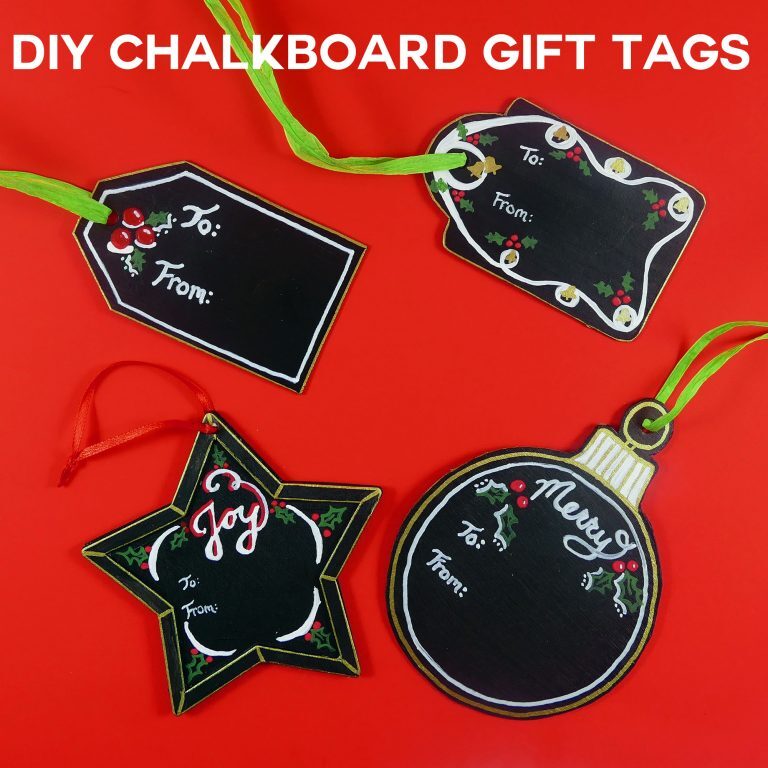
Cricut pens are a versatile tool that allows users to create beautiful written designs for various projects, including personalized gift tags. Understanding the different types of Cricut pens and how to set them up in your Cricut machine is crucial for achieving the best results.Cricut offers a variety of pens, each designed for specific effects and uses. The most common types include:
Types of Cricut Pens and Their Uses
Cricut pens come in several types, each catering to different design needs. Using the right pen can enhance your projects significantly.
- Fine Point Pens: These pens are perfect for detailed writing and intricate designs. They are available in various colors and point sizes, making them ideal for creating delicate lettering on gift tags.
- Gel Pens: Gel pens are known for their vibrant colors and smooth writing experience. They can add a touch of elegance to your gift tags, especially for special occasions.
- Calligraphy Pens: Designed for a more artistic look, calligraphy pens allow for beautiful, flowing script that can elevate the aesthetic of your gift tags significantly.
- Chalk Markers: These pens are excellent for creating a chalkboard effect on gift tags. They are perfect for rustic or vintage-themed gifts.
Setting Up Cricut Pens in the Machine
To ensure your Cricut pen functions correctly, proper setup is essential. The following steps will guide you through loading the pen into the machine.
- Begin by ensuring your Cricut machine is powered on and connected to your computer or mobile device.
- Select your desired design and click on the “Make It” button in the Cricut Design Space.
- When prompted to select the tool, choose the pen option for the type of design you are creating.
- When instructed, open the clamp (the section with the blade holder) on your Cricut machine.
Loading and Unloading Pens
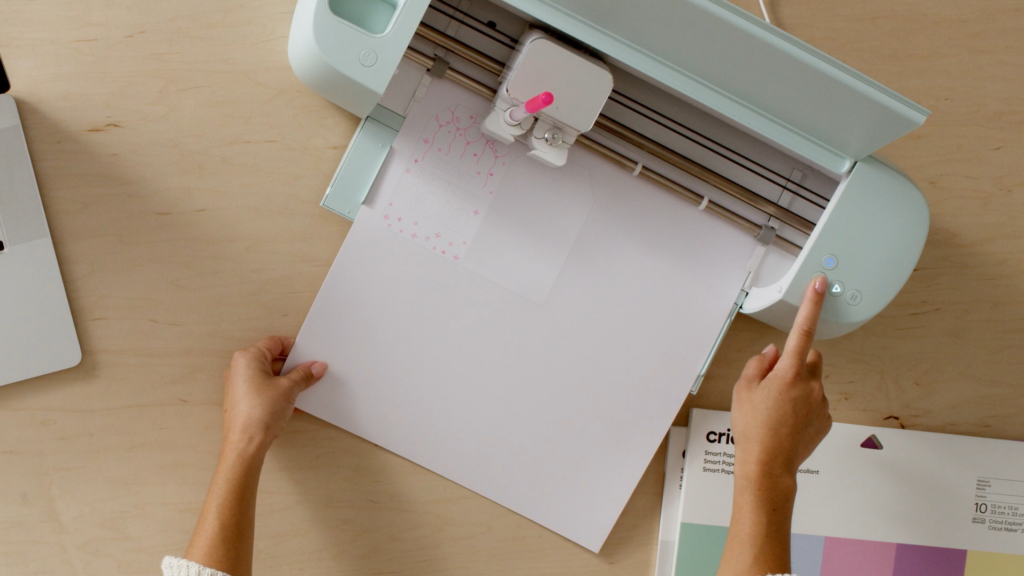
Loading and unloading Cricut pens is a straightforward process that requires attention to detail to avoid any mishaps.When loading:
- Take the pen from its packaging and ensure the cap is removed.
- Insert the pen into the clamp with the writing tip facing down.
- Push down gently until you hear a click, indicating the pen is locked securely in place.
- Close the clamp and proceed with your project.
When unloading:
- With the machine still powered on, open the clamp where the pen is inserted.
- Gently pull the pen out of the clamp, ensuring not to apply excessive force.
- Place the cap back on the pen to prevent it from drying out, and set it aside for future use.
Proper loading and unloading of Cricut pens will ensure optimal performance and longevity.
By understanding the types of Cricut pens and how to set them up properly, you can create stunning personalized gift tags that will impress anyone who receives them.
Designing Gift Tag Templates
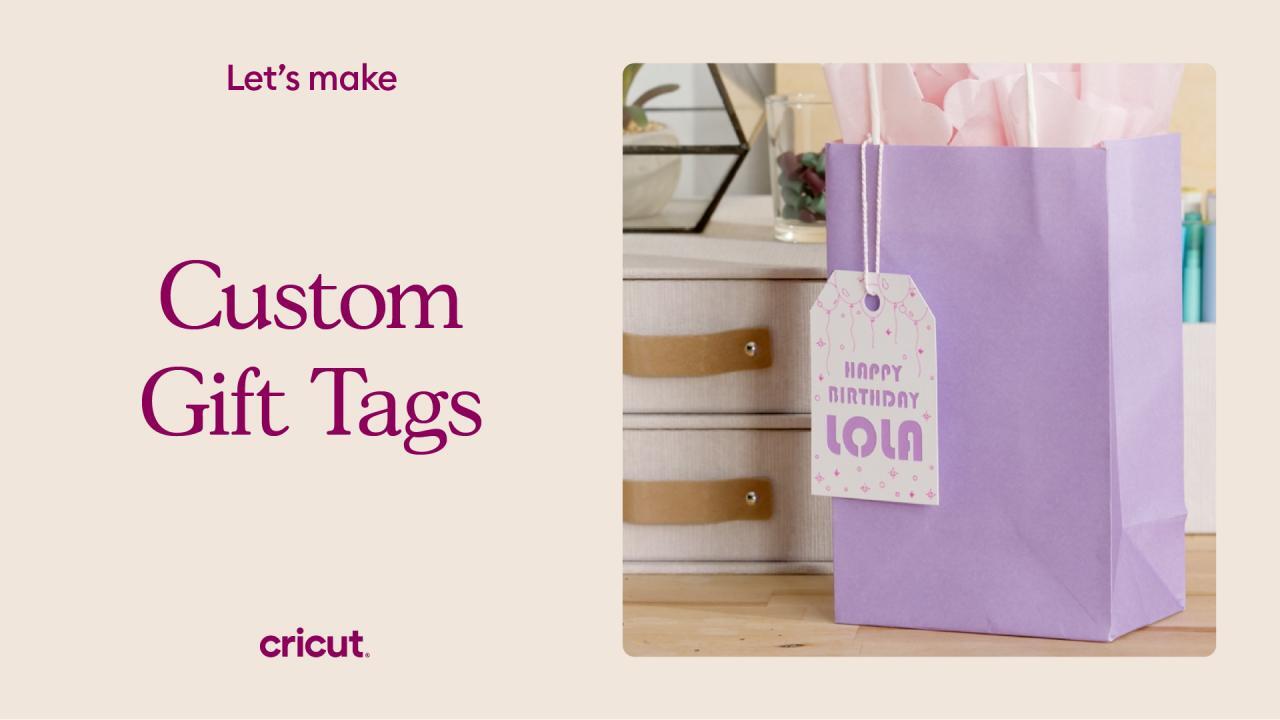
Creating personalized gift tag templates is an enjoyable aspect of using Cricut Pens, allowing for both creativity and functionality. The templates can serve as a canvas for expressing sentiments tailored to specific individuals and events, enhancing the overall presentation of gifts.Utilizing Cricut Design Space, several gift tag templates can be crafted with ease. The user-friendly interface offers tools that facilitate the design process, enabling users to create unique templates that reflect personal styles and preferences.
It is crucial to incorporate various elements into the designs to make them truly personalized.
Elements for Personalized Designs
A well-designed gift tag benefits from a careful selection of elements that convey a personal touch. Below is a list of essential elements to consider when designing your gift tags:
- Recipient’s Name: Personalizing tags with the name of the gift recipient makes the gesture more meaningful.
- Occasion Message: Including a short, heartfelt message or greeting specific to the occasion enhances the emotional value of the gift.
- Date: Adding the date of the occasion can create a memorable keepsake.
- Visual Elements: Incorporating graphics, icons, or illustrations that represent the theme of the event adds to the visual appeal.
- Color Scheme: Selecting colors that align with the occasion or the recipient’s preferences contributes to the overall aesthetics.
Customizing Templates for Various Events
Adapting gift tag templates for different occasions requires attention to the specific context of each event. The customization process can involve changes in design elements, text, and color schemes. Here are some methods to customize templates effectively:
- Birthdays: Use vibrant colors, balloons, or cake graphics, and consider messages like “Happy Birthday!” or “Celebrate Your Special Day!”
- Holidays: For holidays like Christmas, incorporate festive imagery such as snowflakes, ornaments, or Santa Claus, along with seasonal greetings.
- Weddings: Elegant designs featuring florals, lace patterns, and romantic fonts work well. Messages might include “With Love” or “For the Happy Couple.”
- Thank You Tags: Simple designs with a sincere message, such as “Thank You for Your Kindness,” can express gratitude beautifully.
The ability to customize allows for creativity and personal expression, ensuring that each gift tag not only serves its purpose but also resonates with the recipient on a deeper level. As you explore the capabilities of Cricut Pens and Design Space, crafting unique and memorable gift tags becomes a delightful experience.
Using Cricut Software for Tag Creation
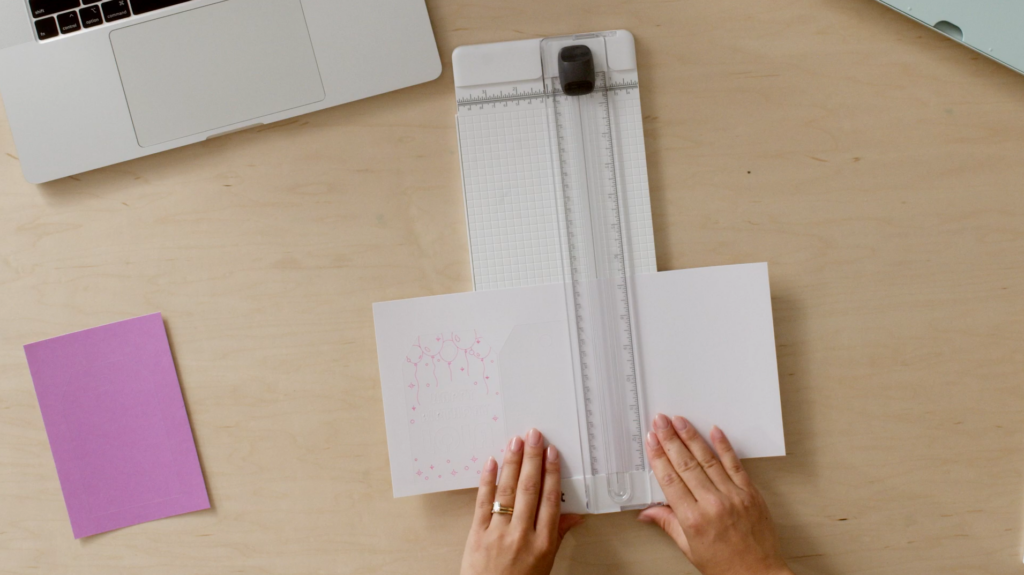
Creating personalized gift tags using Cricut software is an engaging process that allows for the customization of designs to suit individual preferences. Cricut Design Space is a user-friendly application that facilitates the creation of intricate designs and ensures a professional finish. Understanding how to navigate this software effectively is key to achieving desired results.Navigating Cricut Design Space is straightforward, and the platform provides various tools to enhance your creative process.
To create a new project, follow these steps:
Creating a New Project
Begin by opening Cricut Design Space and selecting the “New Project” option, which is prominently displayed on the dashboard. This action will take you to a blank canvas where you can start designing your gift tags. Familiarize yourself with the following features within the interface:
- Canvas Area: The central workspace where your designs will be created. You can zoom in and out for detailed editing.
- Tools Panel: Located on the left side, this panel provides access to various design tools, including shapes, text, and uploaded images.
- Layers Panel: Positioned on the right, this panel allows you to manage different elements of your design, such as text and images, enabling you to arrange them effectively.
Layering Text and Images
Layering is essential for achieving a polished look in your gift tags. By strategically placing text over images or combining multiple elements, you can create a visually appealing design. Consider the following techniques for effective layering:
- Text Placement: Use contrasting colors for text to ensure readability against your background. Experiment with font styles and sizes to enhance visual interest.
- Image Overlays: You can layer images by adjusting their transparency or size. This technique can add depth to your tags, making them more attractive.
- Grouping Elements: Utilize the grouping feature to keep related elements together, simplifying the manipulation of various components as a single unit.
Exporting and Saving Designs
Once your design is complete, it is crucial to save and export your work correctly to ensure it is ready for printing. Follow these instructions to save your designs efficiently:
- Saving Your Project: Click on the “Save” button located in the upper right corner. Name your project appropriately for easy identification later.
- Exporting Designs: To export your design for printing, select the “Make It” button. You can choose to send your design directly to your Cricut machine or save it as a Print then Cut project.
- File Formats: Ensure that you export your design in a compatible format (such as PNG or JPG) for printing. This guarantees that all elements of your tag retain their quality when printed.
Cutting and Writing Process
The cutting and writing process using Cricut machines and pens is a pivotal step in creating personalized gift tags. This process not only ensures precision but also enhances the aesthetic appeal of your tags. Understanding how to effectively manage both cutting and writing functions will lead to beautifully crafted tags that are sure to impress.When preparing to cut and write your gift tags, it is essential to follow a series of steps to ensure everything aligns perfectly.
The Cricut machine is designed to cut intricate designs and write with a variety of pens. The dual function of cutting and writing requires careful setup to avoid misalignment and ensure a seamless crafting experience.
Preparing for Cutting and Writing
To achieve optimal results in cutting and writing with Cricut, certain preparatory steps need to be taken. This includes selecting the right materials and ensuring proper setup within the Cricut software.
Select Appropriate Materials
Choose cardstock or paper that is suitable for writing and cutting. Standard cardstock works well for most gift tags.
Pen Selection
Use Cricut pens that are compatible with your machine. The pen size and color can affect the final look of your tags.
Design Considerations
Ensure designs are created with sufficient space for both cutting and writing. Avoid overlapping areas that may confuse the machine.
Material Loading
Load the chosen material on the cutting mat properly, ensuring it is aligned according to the grid provided on the mat.
Ensuring Alignment of Writing and Cutting
Alignment is crucial when combining cutting and writing functions. Misalignment can lead to poorly crafted tags. To prevent this, follow these tips:
Use the Print Then Cut Feature
When designing tags, consider using the Print Then Cut feature for designs that require both printing and cutting. This feature allows for precise alignment.
Test with a Sample
Always run a test cut and write on a scrap piece of material. This ensures that the writing aligns with the cutting path before proceeding with the final product.
Adjust Settings in Software
Within Cricut Design Space, make necessary adjustments to the placement of your designs. Use the “Preview” function to visualize how the tags will be cut and written.
Troubleshooting Common Issues
Occasionally, challenges may arise during the cutting and writing process. Being aware of common issues and their solutions can save time and materials.
Misalignment
If the writing does not match the cut, check the settings in Cricut Design Space. Ensure that the writing layer is correctly placed in relation to the cutting layer.
Pen Issues
If the pen skips or does not write properly, ensure it is securely in place and that the pen is not dried out. Replace the pen if necessary.
Material Jamming
Sometimes, materials can jam in the machine. Clear any jams by gently pulling the material out and ensuring it is loaded correctly.
Blade Maintenance
An improperly maintained blade can affect cutting quality. Regularly check and replace blades as needed to maintain performance.By following these guidelines, the cutting and writing process with Cricut can be executed smoothly, resulting in beautifully personalized gift tags that are expertly crafted and ready for gifting.
Finishing Touches and Presentation
Adding finishing touches to your personalized gift tags can truly elevate their aesthetic appeal, making them not just functional but also visually captivating. The right embellishments can turn simple tags into standout pieces that complement your gifts beautifully.To enhance the visual appeal of your gift tags, consider incorporating a variety of embellishments that align with the theme of your gift.
These embellishments not only add charm but also personalize the tags further, making them more meaningful. Here are some effective ways to embellish your gift tags:
Embellishment Ideas for Gift Tags
When embellishing gift tags, combining different materials can yield stunning results. Here are several options to consider:
- Ribbons: Attach colorful ribbons or twine through the tag hole for a whimsical touch. Consider using different textures, such as satin, burlap, or organza, to match your gift’s theme.
- Stickers: Enhance your tags with themed stickers, which can add a playful or elegant touch depending on the design you choose. For example, metallic stickers can provide a sophisticated finish.
- Stamps: Use rubber stamps to add unique designs or messages to your tags. This allows for a personalized touch that reflects your creativity.
- Watercolors: If you enjoy painting, consider adding watercolor designs to your tags for a unique and artistic flair. This technique can make each tag one-of-a-kind.
- Glitter: For a bit of sparkle, apply glitter around the edges or in specific designs on the tag. Glitter can catch the light and draw attention to your tags.
Presentation is an essential aspect of gift-giving and can greatly influence the recipient’s experience. Thoughtfully packaged gifts that include beautifully decorated tags convey a sense of care and attention to detail. Here are some considerations for presenting your gift tags effectively:
Importance of Presentation and Packaging
The way you present your gift tags reflects your appreciation for the recipient, enhancing the overall gift-giving experience. The following points highlight why presentation matters:
- First Impressions: A well-presented gift creates a positive first impression, making the recipient feel valued. It shows that you invested time and effort into the packaging.
- Theme Consistency: Coordinating your tag design with the wrapping paper or gift bag creates a cohesive look. This attention to detail enhances the visual appeal and overall aesthetic.
- Emotional Connection: A beautifully presented gift can evoke joy and excitement. This emotional connection builds anticipation and makes the unwrapping experience memorable.
Finally, the way you attach your gift tags can add an extra layer of creativity to your presentation. Here are some unique methods to consider:
Creative Attachment Methods for Gift Tags
Attaching your gift tags in creative ways can transform the presentation of your gifts. The following methods offer simple yet effective ways to showcase your tags:
- Knotted Ribbon: Instead of simply tying the tag on, create a decorative knot with ribbon, allowing the tag to dangle beautifully from the gift.
- Mini Clothespins: Use miniature clothespins to clip the tag onto the gift. This adds a charming, rustic touch while making it easy to remove the tag.
- Adhesive Dots: For a streamlined look, use adhesive dots to attach the tag directly to the gift. This method works well for flat items or when you want a minimalist approach.
- Gift Wrap Pockets: Create a small pocket on the gift wrap where the tag can be inserted. This method makes it easy for the recipient to find the tag while maintaining an elegant appearance.
- Hanging from a Handle: If your gift is in a bag, hang the tag from the bag’s handle with a small piece of twine or ribbon for a visually appealing display.
Advanced Techniques for Customization
Incorporating advanced techniques into your personalized gift tags can elevate them from simple labels to unique keepsakes. By leveraging various materials and interactive elements, you can create tags that not only serve a purpose but also add an extra layer of enjoyment and personalization to your gifts. This section will explore innovative ways to enhance your gift tag designs using Cricut pens and other materials.
Incorporating Additional Materials
Utilizing a variety of materials can significantly enhance the aesthetic and tactile quality of your gift tags. By combining cardstock, vinyl, and other elements, you can create tags that stand out. The following materials can be integrated into your designs:
- Cardstock: Cardstock provides a sturdy base for your gift tags. Its thickness can help create a more premium feel and allows for intricate designs when cut with a Cricut machine.
- Vinyl: Vinyl can be used for adding raised elements or decorative overlays. It is perfect for creating a glossy finish or adding colors and patterns that might not be achievable with just pen designs.
- Ribbon and Twine: Incorporating ribbon or twine not only adds a decorative touch but also enables you to attach tags securely to gifts. Consider using themed colors that match the occasion.
- Foil Accents: Adding foil accents can give your tags a luxurious look. Use foil transfer sheets with your Cricut machine to create shimmering designs that catch the eye.
Creating Interactive Gift Tags
Interactive gift tags can engage recipients and make the experience of receiving a gift more memorable. Here are a few methods to consider when designing such tags:
- Pop-Up Elements: By designing tags with pop-up features, you can surprise the recipient with a fun, three-dimensional aspect. Use your Cricut to create a folded design that reveals a pop-up message or image when opened.
- QR Codes: Incorporating a QR code into your gift tag allows you to share additional content, such as a heartfelt message, a video, or a digital gift. Use a QR code generator to create a code that links to the desired content and print it directly onto the tag.
- Scratch-off Areas: Create an element of surprise by adding a scratch-off area to your tag. This can reveal a personal message or a fun fact when scratched. Cover printed text with a scratch-off sticker for this effect.
Themed Tag Sets
Using the Cricut to create themed tag sets can streamline your gift-giving process, especially during holidays or special occasions. Consider these ideas for seasonal designs:
- Seasonal Themes: Design tags for different seasons, such as autumn leaves for fall, snowflakes for winter, flowers for spring, and bright colors for summer. Each season can inspire a unique color palette and style.
- Holiday-Specific Designs: Create tags tailored for specific holidays, such as Christmas, Halloween, or birthdays, using iconic symbols like pumpkins, snowmen, or balloons. This adds a festive touch to your gift presentation.
- Event Themes: For special occasions like weddings or baby showers, customize your tags to reflect the event’s theme. Use elements like lace patterns for weddings or pastel colors for baby showers to enhance the overall design.
Sharing and Selling Your Creations
Creating personalized gift tags is not just a delightful crafting experience; it also has the potential to turn into a profitable venture. By sharing your unique designs and selling them to others, you can connect with a broader audience and even foster a community of fellow crafters. This section explores various platforms for sharing and selling your creations, effective marketing strategies, and tips for engaging with the crafting community.
Platforms for Sharing and Selling
A variety of online platforms cater to creators looking to share or sell their personalized gift tags. Each platform offers unique features and audiences, which can help you reach your specific target market. Consider the following options:
- Etsy: This popular marketplace specializes in handmade and vintage items, making it a perfect fit for your personalized gift tags. Setting up a shop is user-friendly, and it allows you to showcase your designs effectively.
- Instagram: Utilize this visual platform to showcase your creations through engaging posts and stories. You can reach a larger audience through hashtags and collaborations with other crafters.
- Facebook Marketplace: This platform allows you to connect with locals interested in handmade items. You can list your gift tags and also engage with community groups focused on crafts and handmade goods.
- Pinterest: This platform serves as a powerful tool for inspiration and can drive traffic to your shop. Create pins for your gift tags that link back to your selling platform, creating a visual portfolio of your work.
Effective Marketing Strategies
Marketing your personalized gift tags effectively is crucial for attracting customers. To reach your audience, consider implementing the following strategies:
- Build a Brand: Establish a consistent brand identity through your designs, packaging, and social media presence. A cohesive look fosters recognition and trust among potential buyers.
- Content Marketing: Share tutorials, tips, and ideas for using your gift tags on platforms like a blog or YouTube channel. This not only showcases your expertise but also drives traffic to your selling platform.
- Engage with Your Audience: Regular interaction with your followers through comments, messages, and polls can build a loyal community. Consider hosting giveaways or offering discounts to encourage engagement.
- Collaborate with Influencers: Partnering with influencers or popular crafters can provide exposure to a wider audience. Ensure that the influencers align with your brand values for authenticity.
Engaging with the Crafting Community
Being an active member of the crafting community can open doors for networking, inspiration, and support. Here are some effective ways to engage:
- Join Online Groups: Participate in Facebook groups or forums dedicated to crafting. Here, you can share tips, seek advice, and showcase your creations to fellow enthusiasts.
- Attend Craft Fairs: Local craft fairs and markets offer opportunities to meet other crafters and potential customers. It’s a great way to introduce your gift tags to a live audience and receive immediate feedback.
- Host Workshops: Consider conducting workshops on creating personalized gift tags. This not only solidifies your status as an expert in the field but also helps you build relationships with enthusiasts.
- Share Success Stories: Regularly share testimonials and success stories from customers who have used your gift tags. This builds credibility and encourages others to consider your products.
“Creating and sharing personalized gift tags is not just about crafting; it’s about building connections and fostering a community of creativity.”
Closing Notes
In conclusion, creating personalized gift tags with Cricut pens is an enjoyable and rewarding endeavor that enhances the art of gifting. You have learned the essential steps from design to execution, including tips for customization and decoration. Empowered with this knowledge, you are invited to express your creativity and share your unique tags with family and friends, making every occasion special.
So gather your materials, fire up your Cricut, and start crafting unforgettable gift tags that will leave a lasting impression.