How to Batch Your Cricut Projects to Save Time is a crucial skill for crafters seeking to maximize their efficiency and creativity. This practice not only streamlines the crafting process but also enhances productivity, allowing artisans to complete multiple projects in a fraction of the time. By understanding batch processing, crafters can eliminate common pitfalls and misconceptions, leading to a more enjoyable crafting experience.
As we delve into the steps for effective batch processing, we will explore the importance of preparation, organization, and design in achieving optimal results. From gathering materials to setting up your workspace, each component plays a vital role in ensuring that your Cricut projects are completed smoothly and efficiently.
Understanding Batch Processing in Cricut Projects
Batch processing is a method that involves grouping similar tasks together to streamline the workflow and enhance productivity. In the context of Cricut projects, this approach allows crafters to complete multiple related tasks in a single session, reducing the time and effort required for each individual project. By leveraging batch processing, Cricut users can optimize their crafting sessions, leading to more efficient use of resources and time.The benefits of batching projects are manifold, particularly for those who undertake multiple designs or produce items in bulk.
One significant advantage is the reduction in setup and cleanup time, allowing crafters to focus more on creation. Additionally, batch processing minimizes the mental load by allowing creators to concentrate on a specific type of task, whether it’s designing, cutting, or assembling. The cumulative effect of these advantages is a streamlined workflow that ultimately leads to improved efficiency and higher output.
Benefits of Batching Projects
Batching projects in Cricut crafting not only saves time but also enhances the overall crafting experience. The following benefits highlight why this approach is favored among experienced crafters:
- Time Efficiency: By completing similar tasks in one session, crafters can significantly reduce the time spent switching between different tools and materials.
- Reduced Material Waste: With careful planning, batching projects can minimize scrap materials since similar designs often share materials and setup requirements.
- Enhanced Focus: Concentrating on one type of task allows crafters to refine their skills and techniques, leading to improved outcomes across projects.
- Consistency in Quality: Producing items in batches ensures a uniform standard, particularly important for items that require precision and detail.
- Improved Resource Management: Crafters can better manage supplies and inventory when they batch similar projects, leading to more cost-effective crafting.
Common Misconceptions about Batch Processing
There exists a variety of misconceptions surrounding the concept of batch processing in crafting that may deter crafters from adopting this efficient approach. Addressing these misconceptions is crucial for promoting a better understanding of the advantages of batching in Cricut projects.
- Batching is Only for Large Projects: Many believe that batch processing is only applicable for extensive projects. In reality, batching can benefit even small projects when they share similar requirements.
- Batching Reduces Creativity: Contrary to the belief that batching stifles creativity, it can actually enhance it by allowing crafters to focus their creative energy on a specific type of design.
- It’s Difficult to Implement: Some crafters think that implementing batch processing is complicated. However, with a little planning and organization, it can be easily integrated into any crafting routine.
- Only Professional Crafters Use Batching: There is a misconception that batch processing is reserved for professionals. In fact, hobbyists can greatly benefit from this method to increase enjoyment and output.
“Batch processing is not just a time-saver; it’s a way to enhance creativity and precision in your Cricut projects.”
Preparing for Batch Projects
Before embarking on batch projects with your Cricut, it is crucial to ensure that everything is in place. Proper preparation not only streamlines the process but also enhances productivity, allowing you to focus on creativity without interruptions. Gathering materials and tools in advance sets the stage for an efficient crafting experience.Planning your projects ahead of time is essential for optimal productivity.
This involves not only selecting which projects to tackle but also organizing your workspace, which can significantly affect the overall workflow. By visualizing the steps required for each project and arranging your materials accordingly, you can work through tasks more seamlessly.
Gathering Materials and Tools
To ensure a smooth batch processing experience, it is vital to gather all necessary materials and tools before starting your projects. This includes identifying what you will be creating and collecting items accordingly. The following checklist serves as a comprehensive guide to assist in your preparation:
- Cricut Machine: Ensure your machine is functioning properly and has the latest software updates installed.
- Cutting Mats: Have several mats on hand, as they can wear out quickly.
- Materials: Gather all the materials needed for your projects, such as vinyl, cardstock, or fabric.
- Tools: Collect essential Cricut tools, including weeding tools, scissors, and a ruler.
- Transfer Tape: Necessary for applying your designs to surfaces accurately.
- Adhesives: Keep various adhesives ready, such as glue sticks or double-sided tape, depending on your project needs.
Planning Projects in Advance
Planning your projects in advance allows for a structured approach, maximizing efficiency and productivity. Artikel your project steps from start to finish to ensure nothing is overlooked. Consider the following strategies for effective planning:
- Project List: Create a list of the projects you wish to complete, prioritizing them based on complexity and time requirements.
- Timeline: Establish a timeline for each project, factoring in rest periods and potential challenges.
- Workspace Organization: Designate specific areas for different tasks, such as cutting, weeding, and assembly, to maintain an organized environment.
- Test Cuts: Perform test cuts on scrap material to confirm settings before proceeding with your actual materials.
Checklist for Effective Batching
An effective batching process is supported by a thorough checklist, ensuring that all necessary items are accounted for. This checklist not only simplifies preparation but also minimizes the risk of needing to stop mid-project. Here are essential items to include:
- Computer or Device: Ensure you have access to design software to create and customize your projects.
- Project Templates: Prepare templates and designs in advance to save time during the cutting process.
- Labels: Use labels to organize different materials and tools, enabling quicker access.
- Cleaning Supplies: Keep cleaning supplies handy to maintain your machine and workspace, ensuring everything remains in optimal condition.
- Storage Bins: Utilize storage bins or containers to keep materials sorted and easily reachable.
“Proper preparation is the key to unlocking creativity and efficiency in any batch project.”
Organizing Your Workspace

Creating an efficient workspace is critical for maximizing productivity during batch processing of your Cricut projects. A well-organized area not only enhances workflow but also minimizes stress, helping you focus on your creative tasks. By arranging your tools and materials for easy access, you can streamline your crafting process, making it a more enjoyable experience.To establish an organized workspace conducive to batch processing, consider the following strategies to enhance accessibility and reduce distractions.
Setting Up Your Workspace for Efficiency
A clutter-free and structured workspace allows for more efficient crafting sessions. Begin by designating a specific area in your home as your crafting zone, ensuring it is well-lit and comfortable. The following tips will assist you in organizing your tools and materials effectively:
- Zone Your Workspace: Divide your workspace into different zones for specific tasks such as cutting, weeding, and assembly. This helps in maintaining focus and reduces time spent looking for supplies.
- Storage Solutions: Utilize storage bins, shelves, and drawer organizers to keep materials sorted and easily accessible. Labeling containers ensures that you can quickly find what you need without unnecessary searching.
- Tool Accessibility: Arrange your cutting tools, weeding tools, and other accessories in a caddy or on a pegboard for immediate access. Having frequently used tools within arm’s reach can significantly enhance your efficiency.
- Digital Organization: If your Cricut projects involve digital files, establish a clear folder structure on your computer. Categorizing designs based on themes or types can save you time during the planning phase of your projects.
Minimizing Distractions During Crafting Sessions
Distractions can hinder your creative flow and disrupt batch processing. Implementing strategies to minimize interruptions will help maintain your focus and increase productivity. Here are some effective methods to consider:
- Dedicated Crafting Time: Set specific time slots for crafting and communicate these to family members or roommates to minimize interruptions during those periods.
- Reduce Digital Distractions: Silence notifications on your phone and limit social media browsing. Creating a focused environment will enable you to immerse yourself in your crafting tasks.
- Background Music or Sounds: Consider playing soft background music or ambient sounds that help you concentrate. This can create a pleasant atmosphere while working on your projects.
- Clean as You Go: Take a few moments to tidy up your workspace periodically. A clean environment reduces mental clutter, allowing for clearer thinking and creativity.
By organizing your workspace efficiently and minimizing distractions, you will create an ideal environment for batch processing your Cricut projects. This preparation will lead to a more productive and enjoyable crafting experience, enabling you to unleash your creativity without unnecessary interruptions.
Designing Projects for Batching

When focusing on batch processing for Cricut projects, designing multiple projects simultaneously can significantly increase efficiency and save valuable time. By implementing strategic design techniques, you can streamline your workflow and maximize your output. This approach not only enhances productivity but also ensures a consistent quality in your creations.To effectively design projects for batching, it is essential to maintain consistency in dimensions and materials across your work.
This uniformity simplifies the cutting and assembling processes, allowing for a smoother operation. Additionally, utilizing templates can save time and effort, as they provide a foundation for future projects.
Utilizing Consistent Dimensions and Materials
Using consistent dimensions and materials is crucial when designing for batch projects. Standardizing these elements aids in maximizing material usage and minimizes waste. When you adhere to specific dimensions, you can cut multiple pieces from a single sheet of material, leading to efficient use of resources.
Standard Sizes
Establish a set of standard dimensions for your projects. For instance, if you are creating gift tags, decide on a uniform size (e.g., 2 inches by 4 inches) to ensure that all tags are easy to cut and fit properly.
Material Selection
Choose materials that are readily available and versatile. For example, using cardstock for various projects allows you to maintain consistency while ensuring quality.
Color Schemes
Select a cohesive color palette that can be applied across multiple projects. This approach not only enhances the visual appeal but also simplifies material selection.
Creating Reusable Templates
Templates are invaluable tools for batch processing, allowing you to save time while ensuring consistency in your projects. By creating reusable templates, you can streamline the design phase and focus more on production.To create effective templates, consider the following techniques:
Digital Templates
Design digital files that can be easily replicated. Use software like Cricut Design Space to create a base design that can be adjusted for various projects. For example, create a template for a greeting card that can be modified with different text and images for each occasion.
Physical Templates
Construct physical templates from sturdy materials, like chipboard or acrylic. This allows you to trace shapes quickly and ensures uniformity in size and shape across multiple items.
Layered Designs
Implement layered designs in your templates. For instance, if you are creating layered stencils, design each layer with the same dimensions to ensure they align perfectly during assembly.
“Efficient design is the backbone of successful batch processing; consistency in dimensions and materials leads to streamlined production.”
Efficient Cutting and Assembly Methods
Batch processing with your Cricut not only enhances productivity but also significantly reduces the time spent on individual projects. By adopting efficient cutting and assembly methods, you can maximize your workflow and achieve professional results in less time. Understanding the most effective techniques for cutting, assembling, and weeding will empower you to tackle larger projects with ease.
Effective Cutting Methods for Batch Projects
Selecting the right cutting methods is crucial for executing batch projects efficiently. Here are some key strategies:
- Use Long Cuts: Position multiple designs on the same cutting mat to take advantage of the full width of the material. This minimizes the number of cuts required.
- Group Similar Materials: Cut similar materials simultaneously. For instance, if you’re working with vinyl and cardstock, consider cutting them in separate batches but use the same settings for each material type.
- Optimize Mat Usage: Place your designs strategically to maximize the use of the Cricut mat. Ensure there is minimal wasted space between designs.
- Adjust Blade Settings: Ensure that your blade settings are optimized for the material you are cutting. This will help in achieving clean cuts and reduce the chances of errors.
Assembly Procedure for Multiple Items
Efficiently assembling multiple items requires a systematic approach. Below is a step-by-step guide to streamline the assembly process:
- Gather All Materials: Ensure that all necessary materials for your project are on hand, including cut pieces, tools for assembly, and adhesives.
- Sort by Design: Organize the cut pieces based on their respective designs. This will help in reducing confusion during assembly.
- Establish a Workflow: Create a designated assembly line where you can complete each step efficiently before moving on to the next item.
- Use Assembly Jigs: For complex designs, consider using jigs that hold pieces in place. This supports consistency and accuracy across all assembled items.
- Batch Adhesive Application: Instead of applying adhesive to individual pieces, consider applying adhesive to multiple components at once to expedite the process.
Streamlining the Weeding Process
Weeding can be a time-consuming task, especially when working with large batches. Here are strategies to make the weeding process faster and more efficient:
- Utilize Weeding Tools: Employ specialized weeding tools that can assist in removing excess material quickly and accurately. Tools such as tweezers, hooks, and spatulas can make a significant difference.
- Choose the Right Material: Consider using materials that are easier to weed. For example, some vinyl types have backing that makes the weeding process simpler and faster.
- Weed in Sections: Instead of trying to weed an entire sheet at once, work in smaller sections. This allows for better control and focus, which can expedite the process.
- Light Box Technique: Use a light box to illuminate your designs from beneath. This can help identify areas that need weeding, reducing time spent on each piece.
- Group Weeding Sessions: Set aside specific time blocks dedicated solely to weeding. This prevents interruptions and allows for a more focused approach.
Managing Time Effectively
Creating a structured schedule is essential for maximizing productivity while batch crafting projects with your Cricut. This section focuses on effective time management strategies, the significance of breaks, and techniques for tracking progress, all vital for enhancing your crafting experience.
Creating a Timed Schedule for Batching Projects
Establishing a timed schedule allows you to allocate specific periods for each stage of your batch projects, ensuring that you stay focused and efficient. By breaking down your crafting process into manageable time blocks, you can minimize distractions and enhance your output. Consider the following strategies for creating a successful timed schedule:
- Prioritize Tasks: Identify the tasks that require the most time and attention. Focus on high-priority projects first to ensure they receive the necessary time and resources.
- Set Time Limits: Allocate a specific amount of time for each task. For example, dedicate 30 minutes for design, 1 hour for cutting, and 45 minutes for assembly. This encourages a sense of urgency and keeps you on track.
- Use Timers: Implement timers for each session. Utilizing tools such as the Pomodoro Technique—25 minutes of focused work followed by a 5-minute break—can enhance concentration and prevent burnout.
The Importance of Breaks and Their Impact on Productivity
Integrating regular breaks into your schedule is vital for maintaining productivity and creativity. Taking short breaks prevents fatigue and helps refresh your mind, ultimately leading to higher quality work. The following points illustrate the significance of breaks:
- Reduces Mental Fatigue: Continuous work can lead to decreased focus and performance. Breaks allow your brain to rest, which can improve overall efficiency.
- Enhances Creativity: Stepping away from your project can lead to new insights and ideas. Often, solutions to problems come when you are not actively thinking about them.
- Improves Health: Long hours of crafting can lead to physical strain. Taking breaks encourages movement, which is essential for your overall health and well-being.
Techniques for Tracking Progress During Batch Crafting Sessions
Monitoring your progress during batch crafting sessions is crucial for evaluating efficiency and maintaining motivation. By tracking your accomplishments, you can identify areas for improvement and celebrate small victories.To effectively track progress, consider these techniques:
- Progress Journals: Keep a journal where you note completed tasks, time spent on each step, and any challenges faced. This documentation can provide valuable insights for future projects.
- Checklists: Create a checklist for each project stage. Ticking off completed tasks can serve as a visual representation of your progress, motivating you to keep going.
- Set Milestones: Define specific milestones within your project. For example, completing designs by a certain date or finishing cutting within a set timeframe. Celebrate these milestones to boost morale.
“Effective time management leads to increased productivity and a more enjoyable crafting experience.”
Troubleshooting Common Issues
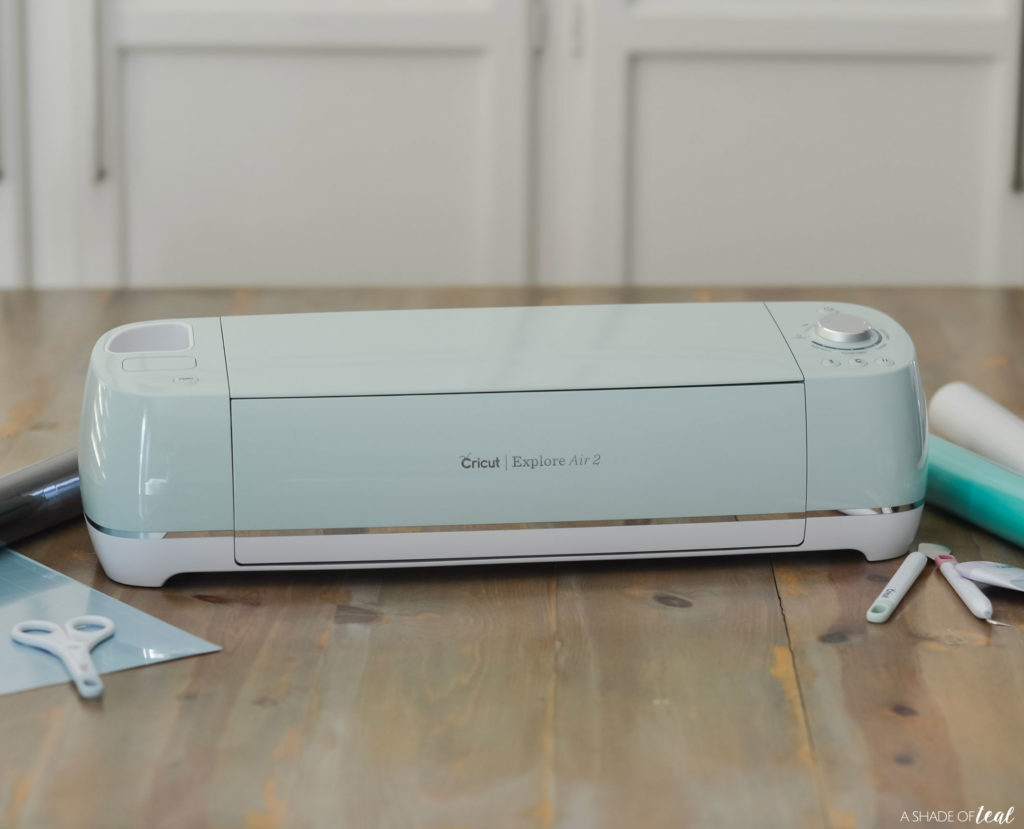
Batch processing with Cricut machines can greatly enhance productivity, but it is not without its challenges. Understanding and addressing common issues that arise during batching is crucial for maintaining efficiency and minimizing frustration. This section will focus on identifying frequent challenges, providing solutions, and adjusting plans as needed when unexpected problems occur.
Frequent Challenges Encountered During Batch Processing
Several challenges may arise during batch processing that can impact the efficiency of your projects. Recognizing these issues early allows for prompt solutions. Some of the most common challenges include:
- Material Wastage: Incorrect settings or misalignment can lead to wasted materials, resulting in additional costs and delays.
- Machine Errors: Calibration issues or software glitches may hinder the cutting process, causing frustration and interruptions.
- Time Management: Underestimating the time required for each stage can disrupt the entire batching schedule.
- Design Flaws: Inadequate planning or design changes can lead to complications during assembly, requiring additional time and resources.
Solutions for Common Problems
Addressing common problems effectively can save time and resources. Here are some solutions to the frequent challenges Artikeld above:
- Minimizing Material Wastage: Always preview the cut layout on the materials to ensure optimal placement. Utilize scrap pieces for smaller cuts when possible, and keep an inventory of leftovers for future projects.
- Troubleshooting Machine Errors: Regularly check and maintain your Cricut machine, including cleaning the blade and ensuring all settings are correct. Familiarize yourself with the software updates and troubleshooting guides provided by Cricut.
- Time Management Techniques: Create a realistic timeline for each batch project, allowing extra time for unforeseen issues. Break down the projects into smaller tasks and set specific time limits for each stage.
- Handling Design Flaws: Double-check all designs before beginning the cutting process. Utilize test cuts for new designs and make necessary adjustments based on the test results.
Adjusting Plans for Unexpected Issues
Flexibility is key when unexpected issues arise during batch processing. Adjusting plans effectively requires a proactive approach:
- Reassess Priorities: If a significant issue occurs, evaluate which projects are most critical and focus on completing those first.
- Implement Backup Plans: Always have alternative materials or designs ready to minimize disruptions. Plan for potential issues by creating a contingency plan that Artikels alternative solutions.
- Communicate and Collaborate: If working with a team, maintaining open communication can help in swiftly addressing issues as they arise. Collaborate to find effective solutions together.
Sharing and Showcasing Batch Projects
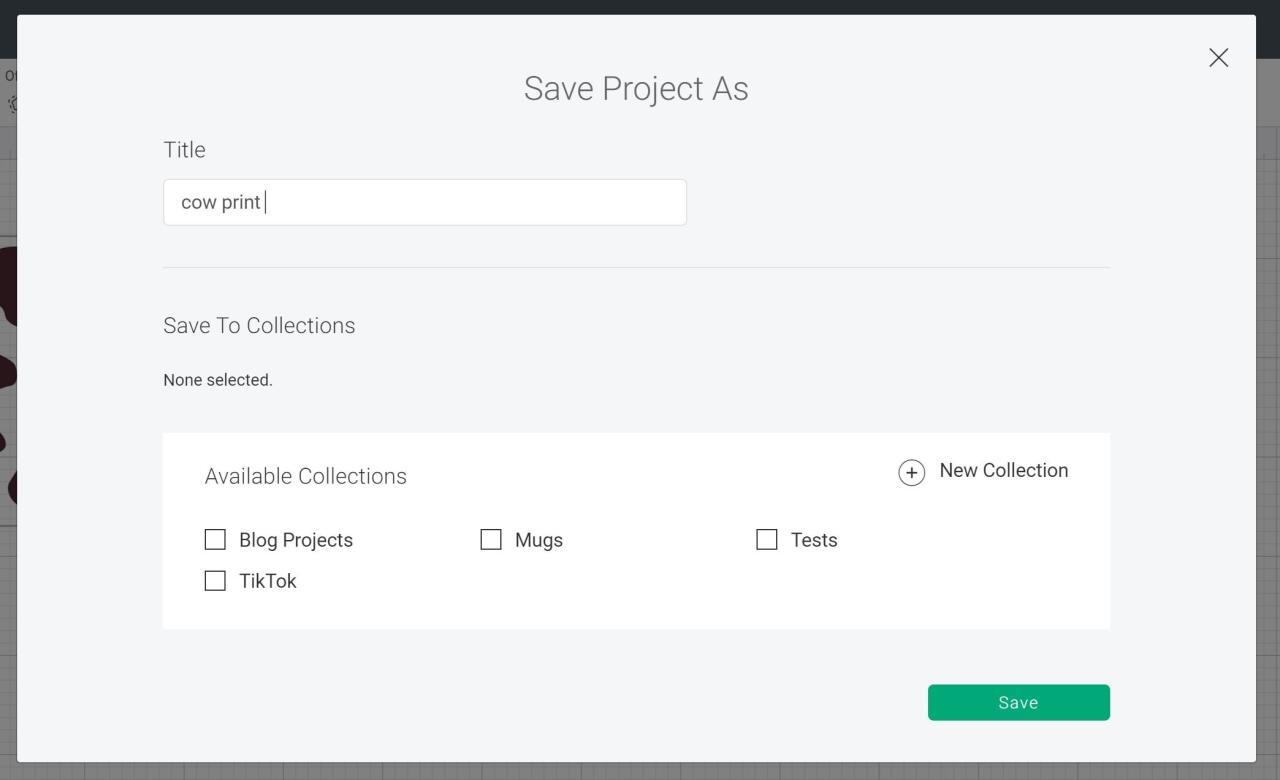
Effective sharing and showcasing of your completed batch projects can not only enhance your own crafting experience but also inspire others in the crafting community. Documenting your projects and presenting them professionally will draw attention and foster engagement. Utilizing various platforms and techniques can significantly elevate the visibility of your work and connect you with fellow enthusiasts.
Documenting and Sharing Completed Batch Projects
Documentation of your batch projects is essential for showcasing your creativity and skills. Consider the following methods to effectively share your completed works:
- Photography: High-quality images are crucial. Use natural lighting and a neutral background to ensure that the details of your projects are highlighted. Capture multiple angles and close-ups to showcase intricacies.
- Video Tutorials: Create short videos demonstrating your batch process or the final presentation of your projects. This can provide an interactive element and engage viewers more effectively.
- Social Media Posts: Utilize platforms like Instagram, Pinterest, and Facebook to share your finished products. Write engaging captions and include relevant hashtags to increase visibility. Engage with your audience by responding to comments and messages.
- Crafting Blogs: If you maintain a blog, write posts that detail your batching process. Include images and tips, allowing readers to follow along and gain insights from your experiences.
Showcasing Finished Products Effectively
Once your projects are complete, showcasing them in an appealing manner can significantly impact audience engagement. Here are some techniques to consider:
- Styled Displays: Arrange your projects in aesthetically pleasing displays. Use props that complement your work, such as decorative stands or themed backgrounds, which can enhance the overall presentation.
- Craft Fairs and Markets: Participate in local craft fairs or markets to display your batch projects. This provides a chance for face-to-face interaction with potential customers and fellow crafters.
- Online Portfolios: Create an online portfolio or website dedicated to your crafting projects. This serves as a central hub for potential buyers or collaborators to view your work and contact you.
- Engagement Campaigns: Run promotions or contests on social media where followers can win one of your completed batch projects. This can increase engagement and spread awareness about your craft.
Engaging with the Crafting Community
Building connections within the crafting community is essential for growth and learning. Here are tips for effectively engaging with fellow crafters about your batch projects:
- Join Online Groups: Participate in crafting forums, groups, or social media communities where you can share your projects and learn from others. Offer feedback and support to fellow crafters to foster a collaborative environment.
- Host Workshops: Organize workshops or virtual meet-ups where you can demonstrate your batching techniques. This not only showcases your work but also allows others to learn from your expertise.
- Utilize Hashtags: When sharing on social media, use relevant hashtags to connect with a broader audience. This increases the chances of your projects being seen by others who share similar interests.
- Collaborate with Other Crafters: Partner with other creatives for joint projects or challenges. This not only diversifies your work but also expands your audience and network.
“Sharing your creative journey not only enriches your own experience but also inspires and connects with others who share your passion.”
Closing Summary

In conclusion, mastering the art of batching your Cricut projects not only saves time but also enhances your overall crafting journey. By implementing the strategies discussed, such as effective workspace organization and time management, you can transform your crafting sessions into productive and fulfilling experiences. Embrace the batching process and watch as your creativity flourishes while you effortlessly complete your projects.