How to Use the Cricut EasyPress for Flawless Iron-On is an essential guide for crafters seeking to elevate their iron-on projects. The Cricut EasyPress combines the convenience of a traditional iron with the precision of a heat press, allowing for flawless application of designs onto various fabrics. Whether you are a seasoned DIY enthusiast or a beginner, this guide will walk you through the necessary preparations, application techniques, and post-care tips for creating stunning, durable creations.
We will explore the significant features that set the EasyPress apart, the materials needed for your projects, and the steps required to achieve perfect results every time. By understanding the intricacies of temperature settings and the right application methods, you’ll soon be equipped to tackle any iron-on project with confidence and ease.
Introduction to Cricut EasyPress
The Cricut EasyPress is a revolutionary tool designed specifically for crafting enthusiasts seeking a more efficient and effective way to apply heat transfer vinyl (HTV) and iron-on materials. Combining the convenience of a traditional iron with the precision of a professional heat press, the EasyPress offers a user-friendly experience that produces flawless results for a variety of projects.Unlike traditional irons, which can create uneven heat distribution, the Cricut EasyPress features a ceramic-coated heat plate that ensures consistent and even heating across the entire surface.
This results in superior adhesion of your iron-on materials, reducing the risk of peeling or bubbling. The EasyPress is also lightweight and portable, making it a fantastic choice for crafters who want to work on projects at home or on the go.
Types of Projects Suitable for Using the EasyPress
The versatility of the Cricut EasyPress allows it to be used on a wide range of crafting projects. Below are some specific applications where the EasyPress excels:
- Custom Apparel: The EasyPress is perfect for applying HTV to t-shirts, hoodies, and other types of clothing. The precise temperature control ensures that designs adhere properly without damaging the fabric.
- Home Décor: Create personalized pillow covers, wall art, and other decorative items with ease. The EasyPress can handle various materials, making it suitable for different home décor projects.
- Accessories: From custom bags to hats and scarves, the EasyPress enables you to add your unique touch to various accessories, enhancing their appeal and individuality.
- Special Occasions: Whether crafting for birthdays, weddings, or holidays, the EasyPress allows for the creation of custom gifts and decorations that make any celebration extra special.
The EasyPress also accommodates different fabric types, such as cotton, polyester, blends, and more, ensuring that it meets the diverse needs of every project. With its precise temperature settings, users can easily adjust the heat to suit each material, resulting in professional-quality finishes.
“The Cricut EasyPress combines exceptional heat distribution with user-friendly features, making it an essential tool for any crafting enthusiast.”
Preparing Your Materials
To achieve flawless results with your Cricut EasyPress for iron-on projects, careful preparation of your materials is essential. Selecting the right fabrics and iron-on materials will greatly impact the outcome, ensuring that your designs adhere perfectly and withstand washing and wear. This section will Artikel the necessary materials and tools required for a successful project.
Essential Materials for Iron-On Projects
Understanding the materials required for your iron-on projects is crucial for ensuring quality and durability. Below are the essential items you will need:
- Cricut EasyPress: The primary tool for applying heat and pressure for your iron-on transfers.
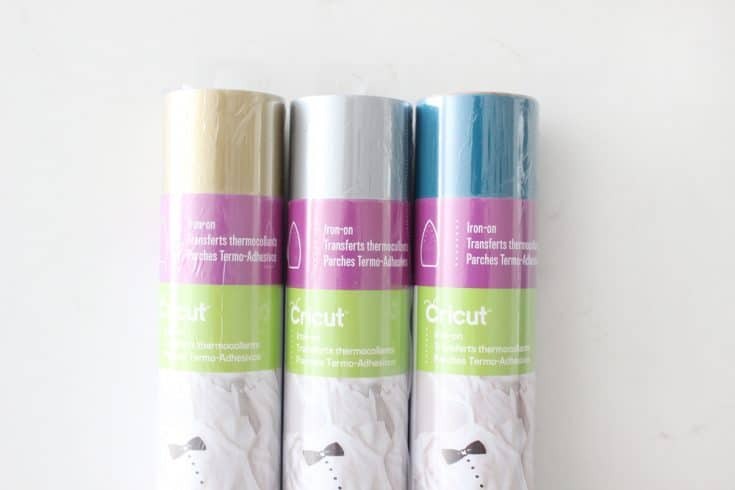
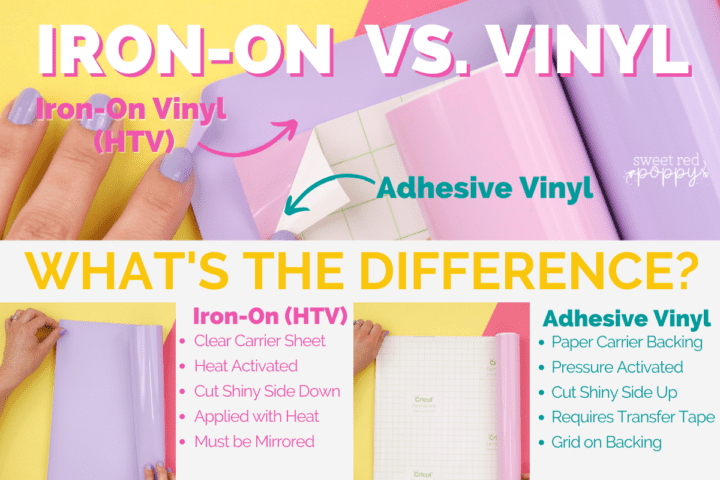
- Iron-On Vinyl: Available in various finishes, including matte and glossy, choose a type that suits your project needs.
- Fabric: Cotton, polyester, or a blend are recommended. The fabric should be pre-washed to remove any sizing that may prevent adhesion.
- Parchment Paper or Teflon Sheet: Used to protect both your project and the EasyPress from direct heat and adhesive.
Importance of Selecting the Right Fabric and Iron-On Materials
The choice of fabric and iron-on materials significantly influences the success of your project. When selecting these materials, consider the following key points:
- Fabric Composition: Different materials respond differently to heat. Cotton and polyester blends are generally the best choices for iron-on applications.
- Adhesion Quality: Ensure that the iron-on vinyl is compatible with the chosen fabric. Some vinyl is designed specifically for certain materials.
- Washing and Care Instructions: Select materials that are durable and can withstand washing without peeling or fading.
Tools Required for Proper Preparation
Having the right tools on hand is essential for a smooth preparation process. Here are the necessary tools you will need:
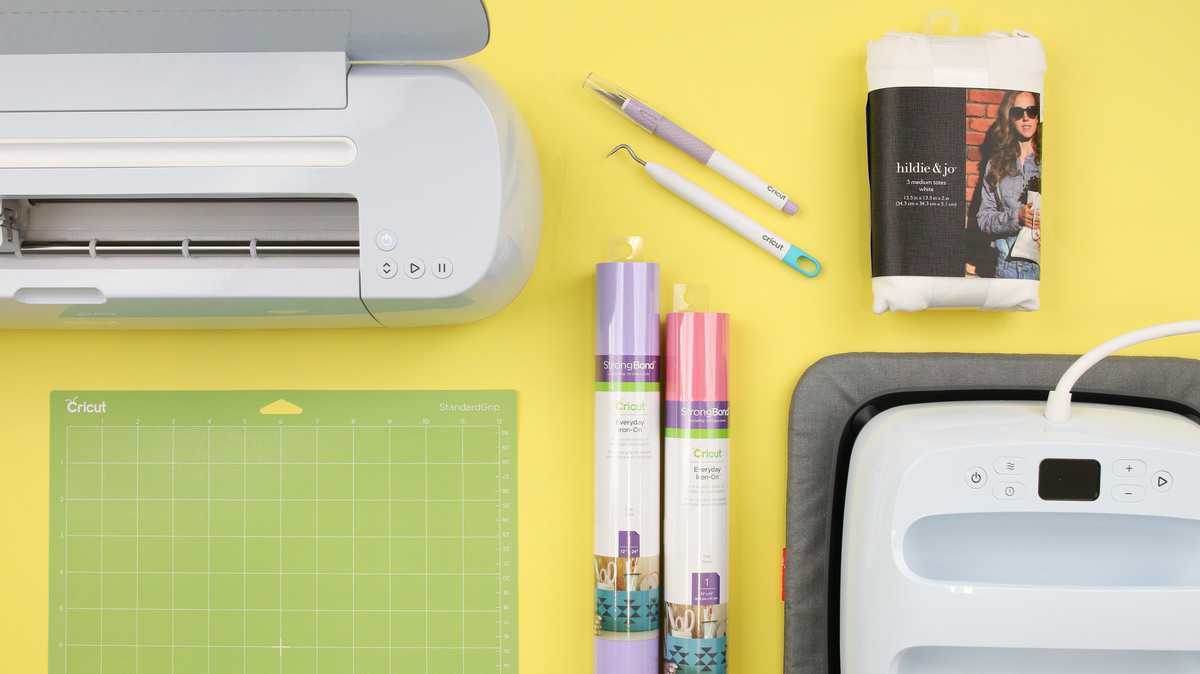
- Cricut Cutting Machine: To precisely cut your iron-on designs from the vinyl.
- Weeding Tools: Essential for removing excess vinyl after cutting, ensuring clean and crisp designs.
- Scraper Tool: Used to apply even pressure to the vinyl during the transfer process, enhancing adhesion.
- Lint Roller: Helps ensure the fabric is free from lint and dust, which can interfere with the bonding process.
Using the correct materials and tools is paramount for achieving professional results in your iron-on projects.
Setting Up the Cricut EasyPress
Setting up the Cricut EasyPress involves a few essential steps to ensure optimal performance and results. Proper preparation and understanding of the device’s settings can significantly enhance the quality of your iron-on projects. Familiarizing yourself with the necessary adjustments can make your crafting experience smoother and more enjoyable.To begin using the Cricut EasyPress, it must be properly set up. First, place the EasyPress on a stable, heat-resistant surface.
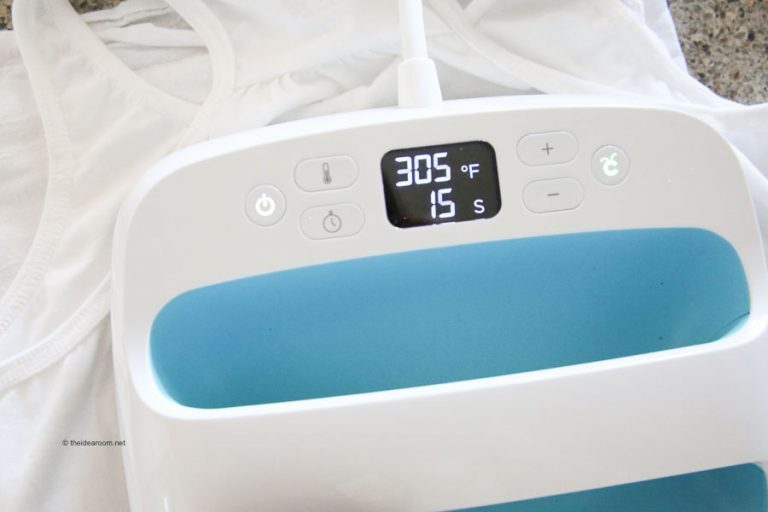
Ensure that the power cord is plugged into a wall outlet, preferably one that is not overloaded with other devices. The EasyPress should be turned on using the power button, and the temperature display will illuminate, indicating that the device is ready for settings adjustment.
Temperature and Time Settings
Selecting the correct temperature and time settings is crucial for achieving flawless iron-on results. This process involves understanding the type of material you are using, as different materials require specific heat settings. The Cricut Heat Guide is a valuable resource for determining the ideal settings based on your chosen material.The following comparison table Artikels the recommended temperature and time settings for various types of iron-on materials:
| Material Type | Temperature (°F) | Time (seconds) |
|---|---|---|
| Standard Iron-On | 315°F | 30 seconds |
| SportFlex Iron-On | 305°F | 30 seconds |
| Smart Iron-On (Permanent) | 320°F | 30 seconds |
| Foil Iron-On | 320°F | 30 seconds |
| Infusible Ink Transfer Sheets | 385°F | 40 seconds |
It is important to note that when using the EasyPress, applying even pressure is vital for successful transfer of the iron-on material.
Always refer to the manufacturer’s instructions for specific materials to ensure accurate settings and optimal results.
By adhering to these guidelines, you can achieve professional-grade results in your iron-on projects.
Application Techniques
Utilizing the Cricut EasyPress effectively requires a solid understanding of application techniques to ensure that iron-on designs are flawlessly transferred onto fabric. Mastering these methods will not only enhance the quality of your projects but also instill confidence in your crafting skills.Accurate placement of iron-on designs is crucial for achieving professional-looking results. Here are some methods that can be employed to ensure your designs are positioned correctly on the fabric.
Methods for Placing Iron-On Designs
To ensure optimal placement of your iron-on designs, consider the following techniques:
- Use a ruler or measuring tape: Measure and mark the center of your fabric before placing your design. This helps maintain symmetry and alignment.
- Utilize a template: Create a paper template of your design and use it to visualize and position your iron-on material accurately.
- Check fabric grain: Align your design with the fabric grain, which not only looks better but also helps with durability.
Once the design is placed, applying even pressure and ensuring proper heat distribution are key to a successful transfer. The Cricut EasyPress is designed to provide consistent results; however, implementing effective pressing techniques is essential.
Pressing Technique for Even Pressure and Heat Distribution
Proper pressing techniques are fundamental in ensuring that the heat and pressure are evenly distributed across the design. Follow these guidelines for optimal results:
- Preheat the fabric: Before applying the design, preheat the fabric for a few seconds to remove moisture and wrinkles, ensuring better adhesion.
- Apply even pressure: Use the appropriate amount of pressure when pressing down the EasyPress. It is recommended to apply a firm but not excessive pressure to achieve uniform contact.
- Use a gentle rolling motion: Instead of applying the EasyPress in a static position, gently roll it over the design to enhance heat distribution.
In addition to these techniques, utilizing a pressing mat is a vital consideration for optimal results. The right pressing mat can significantly affect the overall effectiveness of the heat transfer process.
Importance of Using a Pressing Mat
A pressing mat serves multiple purposes during the application of iron-on designs. It provides a cushioned surface that allows for better pressure distribution and protects your work area. Various types of pressing mats are available, each suited for different needs:
- Standard pressing mats: Typically made from heat-resistant materials, these mats are ideal for general use and can handle a variety of fabric types.
- Silicone mats: Known for their heat resistance, silicone mats are excellent for projects that require more specialized heat transfer techniques.
- Cotton pressing mats: These mats are perfect for delicate fabrics, offering a softer surface that prevents damage during the pressing process.
In conclusion, mastering the application techniques for the Cricut EasyPress is crucial for achieving flawless iron-on results. By using accurate placement methods, effective pressing techniques, and the right pressing mat, crafters can ensure their designs adhere perfectly and maintain their quality over time.
Post-Application Care
After successfully applying iron-on vinyl with your Cricut EasyPress, the next crucial step is post-application care. This involves properly removing the transfer sheet and ensuring that your finished project remains in excellent condition through appropriate washing and handling practices. Following these steps will help maintain the integrity and appearance of your designs for years to come.
Removing the Transfer Sheet
Careful removal of the transfer sheet is essential to ensure that the design adheres correctly to the fabric. Follow these steps for a flawless finish:
- Allow the project to cool completely before attempting to remove the transfer sheet; this typically takes a few minutes.
- Gently peel back the transfer sheet starting from one corner, ensuring that the vinyl adheres to the fabric. If you notice any lifting, press the sheet back down and reapply heat as necessary.
- Continue peeling the transfer sheet slowly and evenly until it is fully removed from the design.
Care and Washing Guidelines
To prolong the life of items created with iron-on vinyl, certain care and washing guidelines should be followed. Proper handling will help maintain the quality and vibrancy of your designs:
- Wait at least 24 hours before washing the item for the first time. This allows the adhesive to set properly.
- Wash items inside out on a gentle cycle with cold water. This minimizes friction and protects the vinyl from damage.
- Use mild detergents; avoid bleach and fabric softeners, as they can degrade the adhesive.
- Air dry or tumble dry on low heat. High temperatures can cause the vinyl to lift or melt.
Common Mistakes to Avoid
Being aware of potential pitfalls can greatly enhance your experience with the Cricut EasyPress and iron-on vinyl. Here are some common mistakes to avoid:
- Skipping the pre-heat step can lead to improper adhesion. Always preheat your fabric for a few seconds to remove moisture and wrinkles.
- Applying too much or too little pressure during the pressing process can affect how well the vinyl adheres. Aim for even pressure across the entire design.
- Not allowing the design to cool before removing the transfer sheet can result in lifting. Patience is key.
- Forgetting to check the recommended temperature and time settings for different fabrics can lead to ineffective application. Always refer to the manufacturer’s guidelines.
Following these post-application care steps will help ensure the longevity and quality of your Cricut EasyPress projects.
Troubleshooting Common Issues
When utilizing the Cricut EasyPress, even the most seasoned crafters may encounter challenges that can affect the quality of their iron-on projects. Understanding these common issues and their solutions will help ensure a smooth crafting experience. This section delves into specific problems you may face, offering practical solutions to maintain the integrity of your work.A frequent concern among users is the lifting of edges on iron-on materials, which can lead to unsightly finishes or premature wear.
This issue often arises from insufficient heat application, improper pressure, or inadequate material preparation. To effectively address these problems, knowing how to recognize and fix them is imperative.
Lifting Edges and Uneven Heat Application
To combat issues of lifting edges and uneven heat distribution, consider the following guidelines:
Ensure Proper Temperature
Verify that the EasyPress is set to the recommended temperature for the material you are using. Different materials require different heat settings to effectively bond with the fabric.
Apply Even Pressure
Consistent pressure is crucial. Avoid lifting the EasyPress during application. Instead, apply even pressure throughout the heat process to ensure thorough bonding.
Check Material Compatibility
Not all materials are suitable for iron-on applications. Always confirm that your chosen materials can withstand the heat and adhere properly.
Use a Teflon Sheet
When working with sensitive fabrics or designs, using a Teflon sheet can protect your materials and help distribute heat evenly.
Conduct a Test Application
Before committing to your final project, perform a test application on a scrap piece of the material to assess the heat settings and pressure needed for optimal results.To maintain your Cricut EasyPress in optimal condition and to enhance its longevity, the following tips are essential:Before using your EasyPress, ensure it is clean and free of any debris that may interfere with heat application.
Regular Cleaning
Wipe down the EasyPress surface after every use to prevent residue buildup from previous projects.
Store Safely
Keep your EasyPress in a dry, safe location away from sharp objects or heavy items that could damage it.
Check for Damage
Regularly inspect cables and the heat plate for any signs of wear and tear. Address any damages immediately to prevent further issues.
Calibrate Periodically
Perform periodic calibration checks to ensure consistent heating performance. Refer to the manufacturer’s guidelines for calibration procedures.
Use the Right Accessories
Invest in protective covers and mats specifically designed for your EasyPress to prevent damage during storage.By implementing these solutions and maintenance tips, you can enhance the performance of your Cricut EasyPress and ensure flawless results in your iron-on projects.
Creative Project Ideas
The Cricut EasyPress opens up a world of creative possibilities for crafting with iron-on materials. Whether you’re a seasoned crafter or a beginner, the EasyPress can help you achieve professional-quality results on a variety of projects. From personalized gifts to seasonal decorations, the only limit is your imagination.Exploring innovative project ideas not only enhances your crafting skills but also inspires you to create unique items suitable for various occasions.
Below are some seasonal and themed project inspirations, complete with descriptions, materials required, and estimated completion times.
Seasonal and Themed Project Inspiration
Crafting with the Cricut EasyPress can be an enjoyable activity that allows you to celebrate different seasons and events. The following table provides a selection of project ideas, including necessary materials and the time needed to complete each project.
| Project Idea | Description | Materials Needed | Estimated Time |
|---|---|---|---|
| Custom Holiday Ornaments | Create personalized ornaments featuring family names or special dates for a memorable holiday touch. | Wooden or acrylic ornaments, iron-on vinyl, Cricut EasyPress | 1-2 hours |
| Seasonal T-Shirts | Design and produce T-shirts tailored for seasonal celebrations, like Halloween or Christmas. | Plain T-shirts, iron-on vinyl, Cricut EasyPress | 1 hour |
| Customized Tote Bags | Personalize tote bags for shopping or events, great for gifts or promotional use. | Canvas tote bags, iron-on vinyl, Cricut EasyPress | 30-45 minutes |
| Themed Pillow Covers | Make pillow covers with seasonal or festive designs to refresh your home decor. | Pillow covers, iron-on vinyl, Cricut EasyPress | 1 hour |
| Baby Onesies | Create adorable customized onesies for baby showers or as gifts. | Plain baby onesies, iron-on vinyl, Cricut EasyPress | 30 minutes |
The projects listed above serve as a springboard for your creativity and can be tailored to fit any personal style or occasion. By using the Cricut EasyPress effectively, you can add a personal touch to everyday items, making them both functional and meaningful.
Community and Support Resources
Engaging with a community of fellow Cricut EasyPress users can significantly enhance your crafting experience. There are numerous resources available that provide tutorials, tips, and a sense of companionship among crafters. These resources can help you become more proficient and confident in using your EasyPress.A variety of platforms are dedicated to offering support and fostering connections among crafters. From instructional videos to forums, the options are plentiful.
Below are some key resources to explore:
Tutorials and Online Resources
Many websites and platforms host a wealth of tutorials specifically for the Cricut EasyPress, catering to both beginners and experienced users. These resources not only provide step-by-step guides but also feature innovative project ideas.
- Cricut Official Website: The Cricut website offers an extensive collection of tutorials that cover everything from basic operations to advanced techniques. Their blog section frequently features new projects and seasonal ideas.
- YouTube: Numerous crafting channels on YouTube provide video tutorials, which can be particularly helpful for visual learners. These videos often showcase various projects and troubleshooting tips for EasyPress users.
- Craft Blogs: Many bloggers dedicate their platforms to crafting and share detailed tutorials and project ideas that include the Cricut EasyPress. A simple search can yield countless options for inspiration.
Connecting with Other Crafters
Building connections with other crafters can greatly enrich your crafting journey. Engaging in social media platforms and online forums allows users to share their experiences, ask questions, and showcase their work.
- Facebook Groups: Joining Facebook groups dedicated to Cricut users can provide a supportive space to share projects, ask for advice, and connect with others who share your interests.
- Instagram: Following hashtags related to Cricut and EasyPress can lead you to a vibrant community of crafters sharing their creations, which can serve as a source of inspiration.
- Online Forums: Websites like Reddit have dedicated threads for Cricut users where one can seek help, share tips, or discuss crafting ideas with a wider audience.
Local Workshops and Classes
For hands-on learning, local workshops and classes provide an excellent opportunity to gain practical experience with the Cricut EasyPress. Participating in these events allows crafters to learn from experts and get immediate feedback on their techniques.
- Craft Stores: Many craft supply stores offer classes for Cricut products, including the EasyPress. These workshops often cover basic setup and application techniques.
- Community Centers: Local community centers frequently host crafting workshops, providing an accessible way to learn in a supportive environment.
- Online Class Platforms: Platforms such as Skillshare and Udemy offer comprehensive courses that cover various aspects of using the Cricut EasyPress, from basic skills to advanced projects.
Joining a community dedicated to Cricut crafting can provide invaluable support and inspiration, enhancing your crafting experience and expanding your knowledge.
End of Discussion
In conclusion, mastering How to Use the Cricut EasyPress for Flawless Iron-On will empower you to create beautiful, professional-quality designs for any occasion. From troubleshooting common issues to exploring creative project ideas, this guide covers everything you need to know to make the most out of your EasyPress experience. Embrace the joy of crafting, and let your imagination run wild with the endless possibilities that await you!