Cricut Smart Vinyl has revolutionized the crafting landscape, offering an innovative solution for creators who seek efficiency and creativity in their projects. This versatile material eliminates the need for a cutting mat, streamlining the process and allowing for easy cutting and application. With various types of Smart Vinyl available, each catering to different needs, crafters can explore countless possibilities for their next projects.
Whether you’re a seasoned expert or a beginner, understanding how to harness the full potential of Cricut Smart Vinyl without a mat can elevate your crafting experience. This guide will walk you through essential techniques and tips, ensuring you are well-prepared to create stunning designs with ease.
Introduction to Cricut Smart Vinyl
Cricut Smart Vinyl is a revolutionary crafting material designed specifically for use with Cricut cutting machines. This innovative vinyl allows users to create intricate designs without the need for a cutting mat, streamlining the crafting process significantly. With its ease of use and versatility, Cricut Smart Vinyl is ideal for a wide range of projects, from home decor to custom apparel, making it a favorite among crafters and DIY enthusiasts alike.Cricut Smart Vinyl comes in a variety of types, each tailored for specific applications and preferences.
The most common types include permanent adhesive vinyl, removable vinyl, and shimmer vinyl. Permanent adhesive vinyl is designed for long-lasting projects such as outdoor signage, while removable vinyl can be used for temporary applications like wall decals. Shimmer vinyl, on the other hand, adds a touch of sparkle to any project, providing a unique aesthetic appeal. The primary distinction between Smart Vinyl and traditional vinyl lies in the functionality; Smart Vinyl is engineered to work seamlessly without a mat, which not only saves time but also reduces material waste.
Types of Cricut Smart Vinyl
Understanding the different types of Cricut Smart Vinyl is crucial for selecting the appropriate material for your specific project. Below are the key types of Smart Vinyl and their characteristics:
- Permanent Adhesive Vinyl: This type is ideal for projects that are meant to last, such as outdoor signs, mugs, and car decals. It is waterproof and can withstand various weather conditions.
- Removable Vinyl: Perfect for temporary applications, removable vinyl can be easily taken off without leaving residue behind. This makes it suitable for wall art or decor that you may wish to change frequently.
- Shimmer Vinyl: Shimmer vinyl adds a subtle sparkle to your projects. It is available in various colors and is perfect for creating eye-catching designs on items like greeting cards and decorations.
- Glossy and Matte Finishes: Both finishes are available across different types of Smart Vinyl. Glossy finishes provide a shiny look, while matte finishes offer a more subdued appearance.
The versatility of Cricut Smart Vinyl enables crafters to choose the right vinyl for their project needs while ensuring high-quality results.
Preparing Your Workspace
Creating an efficient workspace is essential for successfully using Cricut Smart Vinyl without a mat. A well-organized area not only enhances your productivity but also ensures that your crafting experience is enjoyable and stress-free. Proper preparation leads to better results, so it is important to gather the necessary tools and set up your workstation effectively.The essential tools needed for using Cricut Smart Vinyl without a mat include a reliable cutting machine, Smart Vinyl of your chosen color, a weeding tool, transfer tape, and a scraper tool.
Each of these items plays a crucial role in the crafting process, ensuring clean cuts and precise application.
Essential Tools Needed
To facilitate your crafting projects, ensure you have the following tools at hand:
- Cricut Cutting Machine: A model compatible with Smart Vinyl, such as the Cricut Maker 3 or Cricut Explore 3, is necessary for cutting the vinyl accurately.
- Smart Vinyl: Choose the appropriate Smart Vinyl for your project, ensuring it is compatible with your cutting machine.
- Weeding Tool: This tool is essential for removing excess vinyl after cutting, allowing for clean designs.
- Transfer Tape: This tool helps in transferring your vinyl designs onto various surfaces smoothly.
- Scraper Tool: Used to ensure proper adhesion of vinyl designs, a scraper tool helps to eliminate air bubbles.
Setting Up Your Workspace
Creating a functional workspace involves a few systematic steps to ensure everything is in order for your crafting session. Follow this step-by-step guide to set up your area:
- Choose a flat, sturdy surface that is large enough to accommodate your cutting machine and materials.
- Clear the workspace of any unnecessary items to minimize distractions and maintain focus.
- Gather all essential tools and materials, ensuring they are within arm’s reach for easy access during your project.
- Set up your Cricut machine according to the manufacturer’s guidelines, including connecting it to your computer or mobile device.
- Organize your Smart Vinyl rolls neatly to avoid tangling and damage, preferably using a storage method that allows for easy selection.
Maintaining a Clean and Efficient Workspace
A clean workspace contributes significantly to the quality of your projects. Here are some tips to maintain an organized environment:
- Regularly Clear Debris: Clean your workspace frequently to prevent clutter. Remove any leftover vinyl scraps and other materials after each project.
- Organize Tools: Use containers or organizers to keep your tools sorted. Labeling the containers can further enhance efficiency.
- Create a Routine: Develop a routine for setting up and cleaning your workspace. Consistency helps maintain order and can save time during future crafting sessions.
- Utilize Storage Solutions: Invest in storage solutions for your vinyl rolls and tools. Consider vertical storage for materials to maximize space.
Keep your workspace organized and tidy to enhance your crafting experience and achieve the best results with your Cricut Smart Vinyl projects.
Loading Smart Vinyl into the Cricut Machine
Properly loading Smart Vinyl into your Cricut machine is crucial for achieving clean and precise cuts. The Smart Vinyl is specifically designed for matless cutting, which simplifies the process and enhances efficiency. This section will detail the correct loading technique, essential adjustments for settings, and highlight common mistakes to avoid during the loading process.
Proper Loading Technique for Smart Vinyl
To ensure successful cutting, follow these steps for loading Smart Vinyl into your Cricut machine:
1. Prepare the Smart Vinyl
Cut a piece of Smart Vinyl to the desired length, ensuring it falls within the parameters of your project.
2. Align the Vinyl
Place the Smart Vinyl in front of the machine, ensuring the material is straight and aligned with the guides. It is important to have a clean surface below the vinyl to avoid any obstruction during the loading process.
3. Load the Vinyl
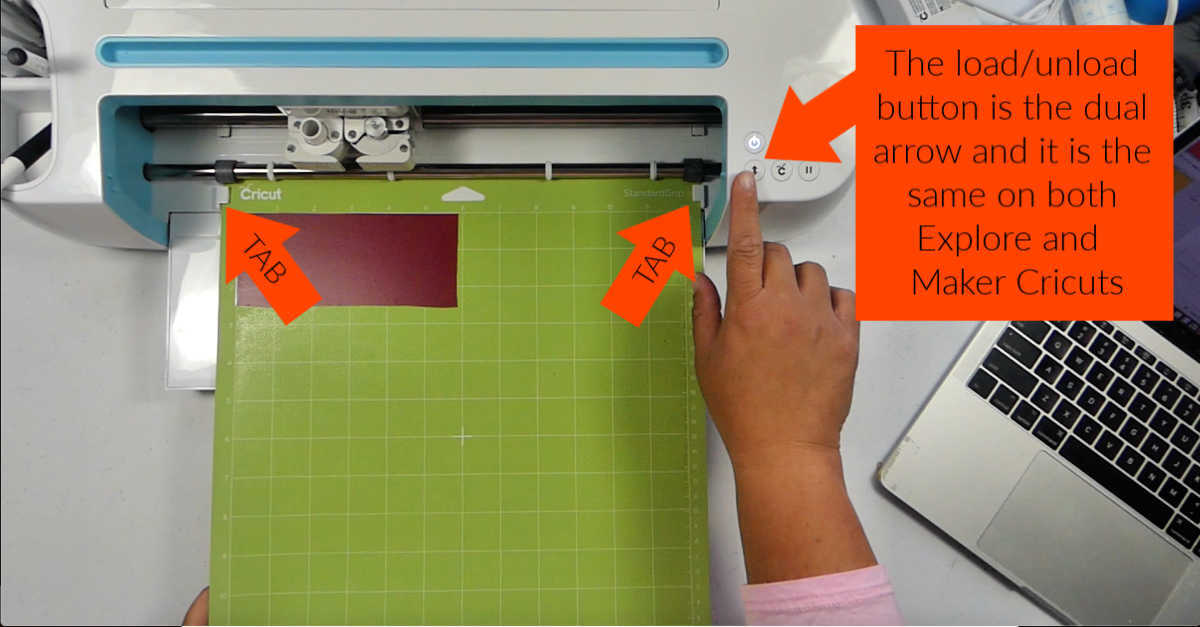
Press the “Load” button on your Cricut machine. The machine will automatically pull the vinyl into place. Always ensure that the vinyl is properly seated and that there are no wrinkles or folds.
Adjusting Settings for Matless Cutting
When using Smart Vinyl, it is essential to modify the machine settings to enable matless cutting. The following adjustments must be made:
Select Material Type
In the design software, choose “Smart Vinyl” as your material type. This will ensure that the machine understands it needs to cut without a mat.
Adjust Cutting Depth
Depending on the thickness of your Smart Vinyl, you may need to adjust the cutting depth. Consult the material settings in your Cricut machine to find the appropriate blade depth for Smart Vinyl.
Blade Settings
Ensure that you are using the correct blade for vinyl cutting, typically a fine-point blade, which will provide the best results.
Common Mistakes to Avoid When Loading Smart Vinyl
Awareness of potential pitfalls can help ensure a seamless cutting experience. Here are common mistakes to avoid:
Incorrect Material Length
Make sure the length of the Smart Vinyl matches your design specifications. Cutting a piece that is too short will result in incomplete projects.
Misalignment
Ensure the Smart Vinyl is straight and properly aligned before loading, as misalignment can lead to skewed cuts.
Ignoring Machine Settings
Failing to select the correct material type in the software can lead to improper cutting, resulting in wasted material.
Not Checking for Damage
Always inspect the Smart Vinyl for any creases, tears, or defects that may affect the cutting quality. Taking the time to carefully load Smart Vinyl and adjust the necessary settings will lead to successful and efficient project outcomes.
Cutting Techniques with Smart Vinyl
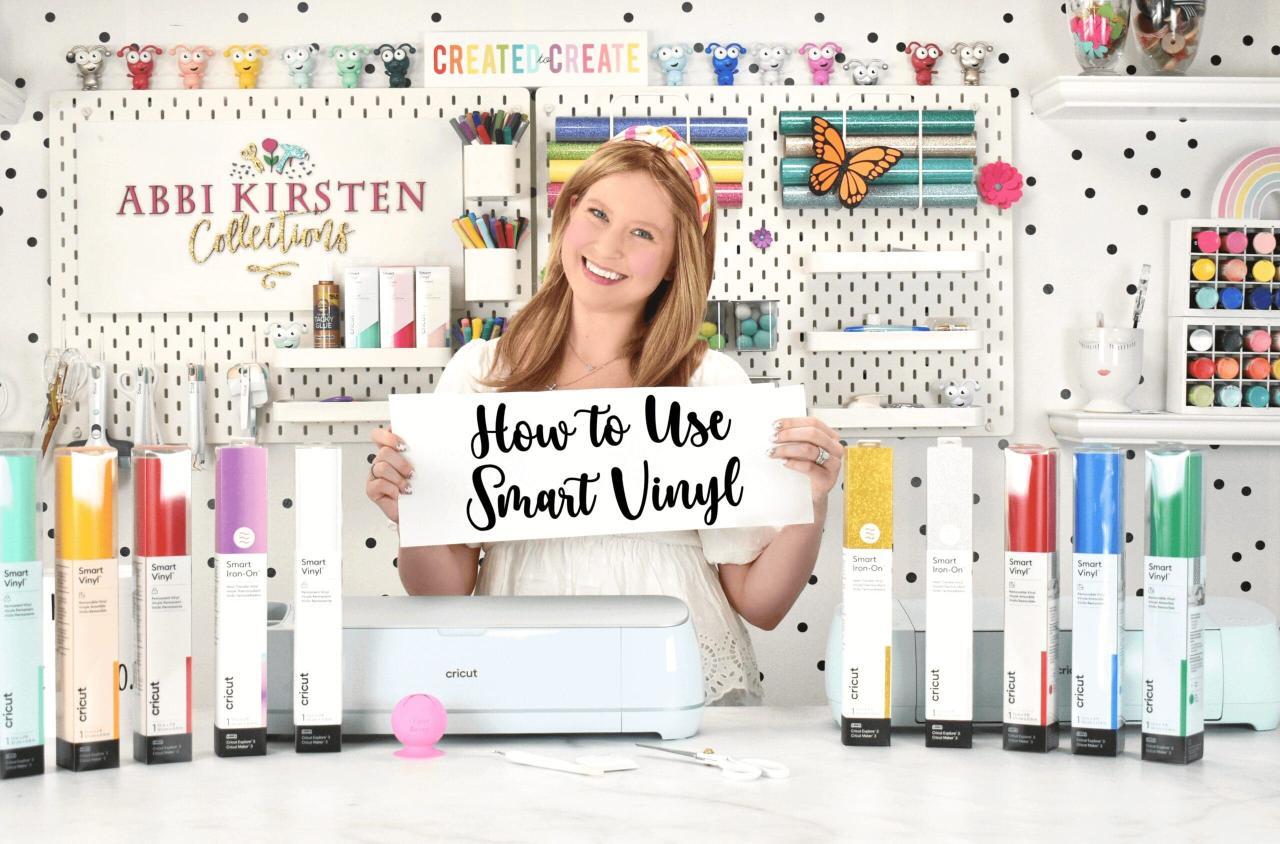
The versatility of Cricut Smart Vinyl allows for innovative cutting techniques that enhance the creative process. Understanding these techniques ensures optimal results in your projects, enabling the realization of intricate designs and precise cuts without the need for a cutting mat. This section will delve into various cutting techniques, compare the cutting settings for different types of Smart Vinyl, and provide examples of projects that can be accomplished seamlessly.
Different Cutting Techniques Suitable for Smart Vinyl
Cricut Smart Vinyl is designed for easy and efficient cutting. Several techniques can be employed to achieve diverse effects and designs, including:
- Standard Cutting: This technique uses the default settings on your Cricut machine for standard cuts, ideal for simple shapes and designs.
- Double-Cut: For intricate designs, this technique involves cutting the same design twice, ensuring accuracy and better adherence of the vinyl to the backing.
- Scored Cutting: This is particularly useful for creating foldable projects, where the vinyl is scored before cutting, allowing for precise folds without tearing.
- Weeding Techniques: Utilizing a weeding tool enables the removal of excess vinyl from intricate designs easily. Techniques like reverse weeding can also enhance results for delicate cuts.
Cutting Settings for Various Types of Smart Vinyl
Different types of Smart Vinyl require specific cutting settings to ensure optimal performance. Here is a comparison of cutting settings for various Smart Vinyl types:
| Type of Smart Vinyl | Blade Setting | Material Type |
|---|---|---|
| Permanent Glossy Vinyl | Default setting | Ideal for outdoor projects and long-lasting applications |
| Removable Vinyl | Light pressure | Best for temporary applications like wall decals |
| Transfer Tape | Standard setting | Used to transfer designs from the backing to the final surface |
| Iron-On Vinyl | Iron-on setting | Specifically designed for fabric applications |
Examples of Projects Without a Mat
Smart Vinyl’s capability to cut without a mat opens up new avenues for various creative projects. Here are some inspiring examples:
- Custom Stickers: Create personalized stickers for planners or labels that can be applied directly to surfaces.
- Home Decor: Design wall art or decals that can enhance the aesthetics of any room.
- Personalized Gifts: Craft unique gifts by adding custom designs to mugs, T-shirts, or tote bags.
- Event Decor: Design banners or table settings for parties or special occasions with intricate designs.
Weeding and Transferring Smart Vinyl
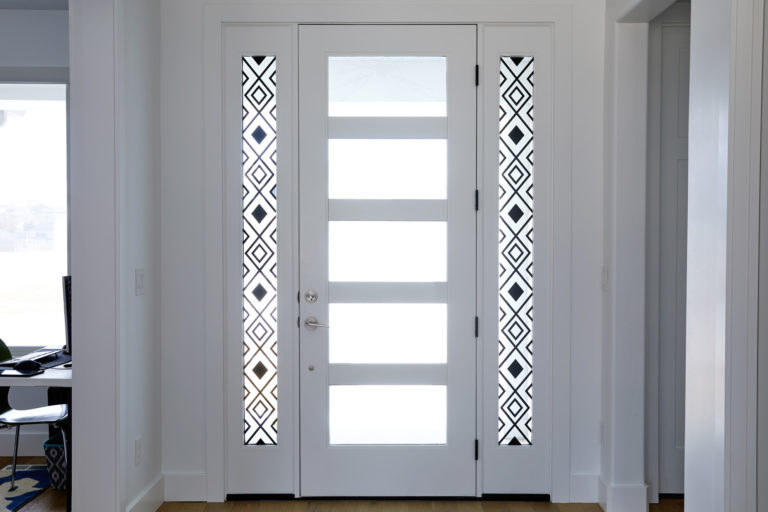
Weeding and transferring Smart Vinyl are critical steps in achieving a clean, professional-looking project. Understanding the techniques involved in weeding, as well as the best practices for transferring your designs to various surfaces, ensures that your final product meets your expectations. This section will delve into effective weeding methods, Artikel the transfer process, and provide troubleshooting tips for common issues encountered during these stages.
Weeding Techniques for Smart Vinyl Designs
Weeding is the process of removing excess vinyl from your design. This step is essential for ensuring that only the desired elements remain on your project. Effective weeding techniques can significantly enhance the quality of your finished product. Consider the following methods to simplify the weeding process:
- Utilize Weeding Tools: Invest in a weeding tool or a hook tool specifically designed for vinyl. These tools allow for precision in lifting and removing small sections of vinyl without damaging the design.
- Use a Lightbox: If available, a lightbox can illuminate your design from underneath, making it easier to see which parts need to be removed, especially for intricate designs.
- Heat Method: Applying a gentle heat source, such as a heat gun or hairdryer, can soften the vinyl, making it easier to peel away from the backing.
- Weed in Sections: For larger designs, weed in smaller sections rather than attempting to remove all excess vinyl at once. This method reduces the chance of pulling up unintended parts of the design.
Steps for Transferring Smart Vinyl onto Different Surfaces
Proper transfer of Smart Vinyl is crucial for achieving clean and durable applications on various surfaces. The following steps provide a clear guide to effectively transfer your designs:
1. Prepare the Surface
Ensure the surface you are applying the vinyl to is clean and dry. Wipe it down with isopropyl alcohol to remove any grease or dust.
2. Cut Transfer Tape
Cut a piece of transfer tape slightly larger than your vinyl design. This tape will help transfer the vinyl while keeping the design intact.
3. Apply Transfer Tape
Carefully lay the transfer tape over the weeded design, starting from one end and smoothing it out to avoid air bubbles. Use a squeegee or credit card to ensure good adhesion.
4. Peel Away the Backing
Slowly peel the backing away from the vinyl, ensuring the vinyl sticks to the transfer tape. If some vinyl lifts with the backing, press it back down and continue pulling the backing off.
5. Position the Design
Align the vinyl design on your surface. Once positioned correctly, press it down firmly, smoothing from the center outward to ensure adhesion.
6. Remove Transfer Tape
After allowing the vinyl to set for a few moments, carefully peel away the transfer tape, leaving the vinyl adhered to the surface.
Troubleshooting Weeding and Transfer Issues
Despite careful planning, issues can arise during the weeding and transferring processes. Here are some common problems and their solutions:
- Vinyl Not Weeding Cleanly: If the vinyl is tearing or not coming off cleanly, ensure your blade is sharp and correctly calibrated. Additionally, check that you are using the appropriate cutting settings for the material.
- Transfer Tape Pulling Vinyl: This often occurs if the transfer tape is too strong for the type of vinyl used. Opt for a lighter transfer tape or reduce the adhesive strength by applying it to a fabric surface before using it on your vinyl.
- Air Bubbles in Transfer: If air bubbles form during the transfer, use a squeegee to push the bubbles out, or prick them gently with a pin to release the air.
- Poor Adhesion on Surface: If the vinyl doesn’t adhere well, ensure the surface is clean and dry. Certain surfaces, like textured or porous materials, may require a stronger adhesive vinyl.
Project Ideas Using Smart Vinyl Without a Mat
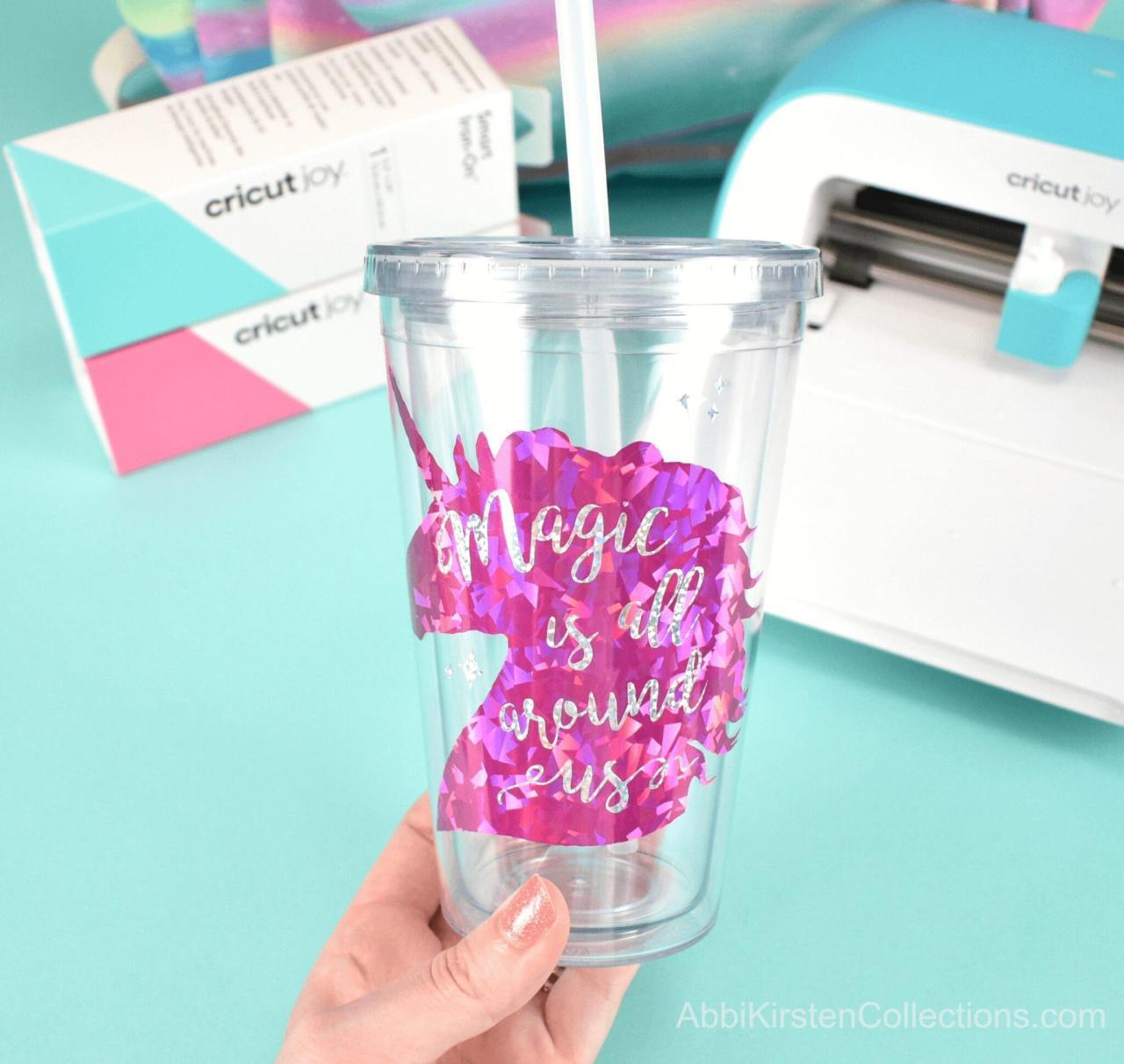
Smart Vinyl offers a world of creative possibilities for crafters, allowing them to take on projects without the need for a cutting mat. This versatility makes it ideal for various crafting applications, resulting in seamless and professional-looking results. Below are some innovative project ideas and insights into how Smart Vinyl can be utilized effectively.
Creative Project Ideas
The adaptability of Smart Vinyl enables crafters to engage in a wide range of projects. Here are some exciting ideas that can inspire your next crafting session:
- Customized T-Shirts: Create personalized designs for fabric using Smart Vinyl to add names, quotes, or unique graphics to clothing items.
- Decorative Wall Art: Use Smart Vinyl to craft unique wall decals that can transform any space, adding a personal touch to home décor.
- Personalized Mugs: Apply vinyl to ceramic mugs to create custom gifts. The vinyl adheres well, making your designs both vibrant and long-lasting.
- Seasonal Decorations: Make festive decorations for holidays, such as window cling designs for Halloween or Christmas-themed ornaments, easily cut from Smart Vinyl.
- Labels and Organization: Use Smart Vinyl to create elegant labels for jars, bins, or office supplies, helping to organize your space while adding a stylish touch.
- Phone Cases: Design and cut your own patterns or images to apply to clear phone cases, allowing for unique and personalized accessories.
- Sticker Sheets: Produce custom sticker sheets that can be used for planners, scrapbooking, or personalizing everyday items.
Versatility of Smart Vinyl
Smart Vinyl is highly versatile and can be adapted for various surfaces and materials. Unlike traditional vinyl, which often requires a cutting mat, Smart Vinyl is designed for matless cutting, making it easier to handle larger designs and projects. This functionality empowers crafters to be more spontaneous and creative.
“The absence of a mat opens up new opportunities, allowing for larger cuts and more varied projects.”
Adapting Traditional Projects
Many traditional crafting projects can be easily adapted to utilize Smart Vinyl without a mat, simplifying the process and enhancing creativity. For instance, when creating personalized cards or scrapbook pages, one can cut intricate designs directly from Smart Vinyl and apply them without the constraints of a mat. Additionally, any project that typically requires layering can be modified; simply cut each layer from Smart Vinyl and assemble them directly onto your surface.
By embracing Smart Vinyl in these ways, crafters can streamline their workflow and expand their creative horizons, resulting in impressive and professional-quality projects.
Maintenance and Care for Smart Vinyl Projects
Maintaining and caring for your Smart Vinyl projects is essential to ensure their longevity and aesthetic appeal. Proper post-application care can help preserve the vibrancy and durability of your designs, allowing you to enjoy them for an extended period. Additionally, storing leftover Smart Vinyl correctly is crucial to prevent waste and ensure the materials remain usable for future projects.
Best Practices for Maintaining Smart Vinyl Projects
To keep your Smart Vinyl projects looking their best, consider the following best practices:
- Keep the Projects Dry: Ensure that your Smart Vinyl projects are not exposed to excessive moisture, as this can lead to peeling or damage over time.
- Avoid Direct Sunlight: Prolonged exposure to sunlight can cause fading of colors. Display your projects in shaded areas when possible.
- Regular Cleaning: Use a soft, dry cloth to gently wipe the surface of your projects. Avoid harsh chemicals that might damage the vinyl.
Proper Storage of Leftover Smart Vinyl
Storing leftover Smart Vinyl is vital for its longevity and usability. Here are effective storage methods:
- Keep in Original Packaging: Store unused vinyl in its original packaging to protect it from dust and environmental factors.
- Use a Flat Storage System: Lay the vinyl flat in a drawer or on a shelf, avoiding any creases which could affect future cutting.
- Label and Organize: Clearly label each roll or sheet with the color and type of vinyl, making it easy to find what you need for future projects.
Tips for Extending the Life of Smart Vinyl Designs
To maximize the lifespan of Smart Vinyl designs, consider the following strategies:
- Use Sealants: Applying a clear sealant can provide an additional protective layer, particularly for outdoor projects.
- Handle with Care: When applying or interacting with your Smart Vinyl projects, be gentle to avoid lifting or damaging the edges.
- Monitor Environmental Factors: Be mindful of temperature and humidity levels in the space where your projects are displayed, as extreme conditions can affect vinyl integrity.
“A little care goes a long way in preserving the beauty and functionality of your Smart Vinyl projects.”
Ultimate Conclusion
In conclusion, mastering the use of Cricut Smart Vinyl without a mat opens up a world of creative opportunities for crafters of all skill levels. By following the Artikeld techniques for preparation, cutting, weeding, and project ideas, you can enhance your crafting repertoire and enjoy the full benefits of this innovative material. Embrace the versatility of Smart Vinyl, and let your imagination soar as you embark on new and exciting projects.