How to Create Your First Iron-On T-Shirt with a Cricut invites you into the creative realm of personalized fashion, where your imagination is the only limit. Utilizing a Cricut machine not only simplifies the crafting process but also opens up endless possibilities for customization, allowing you to express your unique style through expertly designed T-shirts.
From understanding the essential materials to the intricate steps of design and application, this guide will navigate you through each stage of crafting your first iron-on T-shirt. You will learn about the benefits of iron-on transfers, and how to set up your Cricut machine, ensuring a seamless experience that culminates in a stunning finished product.
Introduction to Cricut and Iron-On T-Shirts

The Cricut machine has revolutionized the crafting world by enabling users to create intricate designs and custom projects with ease. This versatile tool allows both beginners and experienced crafters to explore their creativity by cutting materials such as vinyl, paper, and fabric. Among its numerous applications, creating iron-on T-shirts stands out as a popular choice, allowing for the personalization of garments with unique designs.The history of iron-on T-shirts dates back to the 1960s when screen printing was the primary method for transferring images onto fabric.
With the advancement of technology, the process evolved, and iron-on transfers became a method of choice for those seeking to customize their clothing. The introduction of heat transfer vinyl (HTV) further transformed this field, providing a durable and vibrant option for creating personalized apparel. Today, with the help of machines like Cricut, crafting iron-on T-shirts has become accessible to everyone, allowing for endless creative possibilities.
Materials Required for Creating an Iron-On T-Shirt
To successfully craft an iron-on T-shirt using a Cricut machine, certain materials are essential. Understanding the purpose and quality of each item ensures a smooth crafting process and a polished final product.The main materials needed include:
- Cricut Machine: The heart of the project, this electronic cutting tool is essential for precision cutting of designs from heat transfer vinyl.
- Heat Transfer Vinyl (HTV): Available in various colors and finishes, HTV is specifically designed for iron-on applications and adheres to fabric when heat is applied.
- Plain T-Shirt: A blank canvas for your design, it’s important to choose a high-quality fabric that can withstand heat and maintain its shape.
- Teflon Sheet or Parchment Paper: Used during the heat application process, these materials protect both the iron and the T-shirt from direct heat.
- Iron or Heat Press: These tools are necessary to transfer the HTV onto the T-shirt securely by applying heat and pressure.
- Cricut Design Space Software: This application allows users to create and customize designs before sending them to the Cricut machine for cutting.
Each of these materials plays a crucial role in the crafting process, ensuring that the final iron-on T-shirt is not only visually appealing but also durable and comfortable to wear. Proper preparation and selection of materials set the foundation for a successful crafting experience with Cricut machines.
Setting Up Your Cricut Machine
To create stunning iron-on t-shirts with your Cricut machine, it is essential to properly set up your device before diving into your first project. This process involves assembling the machine, selecting appropriate supplies, and preparing the software that will guide you through designing and cutting your chosen materials.
Steps for Setting Up the Cricut Machine
Setting up your Cricut machine involves several key steps to ensure it functions correctly for your first use. Follow these detailed instructions to get started:
1. Unboxing and Assembly
Remove the Cricut machine from its packaging, along with the included accessories. Place the machine on a flat, stable surface and connect it to a power outlet using the provided power cord. Turn on the machine using the power button.
2. Connecting to Wi-Fi
If you have a Wi-Fi-enabled Cricut machine, follow the on-screen prompts to connect to your home network. This connection will allow you to access Cricut Design Space for your designs.
3. Registering the Machine
It is recommended to register your Cricut machine on the Cricut website. This registration will help you receive updates and access customer support if needed.
4. Updating Software
After registration, check for any available firmware updates for your machine and install them. This ensures your device operates with the latest features and improvements.
Selecting the Right Blade and Mat for Iron-On Projects
Choosing the appropriate blade and cutting mat is crucial when working with iron-on materials. The right selections will enhance the quality of your cuts and the overall success of your project.
Blade Selection
For iron-on projects, the standard fine-point blade is typically used as it provides clean cuts on heat transfer vinyl. Ensure the blade is installed correctly in the machine’s housing.
Mat Selection
Use a StandardGrip cutting mat which is ideal for most iron-on materials. This mat provides sufficient grip to hold the vinyl in place while cutting, preventing any shifting that could lead to uneven lines or incomplete cuts.
Software Installation and Setup for Cricut Design Space
Cricut Design Space is the software application used to design and send your projects to the machine for cutting. Proper installation and setup are essential for a seamless experience.
1. Downloading the Software
Go to the Cricut website and download the Design Space application compatible with your operating system. It is available for both Windows and Mac computers, as well as mobile devices.
2. Creating an Account
After installation, launch the application and create a Cricut account if you do not already have one. This account allows you to save your projects and access a library of images and fonts.
3. Familiarizing with the Interface
Take some time to familiarize yourself with the interface. The main dashboard includes options to create a new project, access saved projects, and explore design resources.
4. Connecting the Machine
Once you’re set up in Design Space, connect your Cricut machine via Bluetooth or USB, depending on your model. The application will recognize your machine, allowing you to begin designing.By following these steps, you will have your Cricut machine set up and ready for creating your first iron-on t-shirt. Proper preparation ensures that your crafting experience is enjoyable and efficient.
Designing Your T-Shirt Graphic
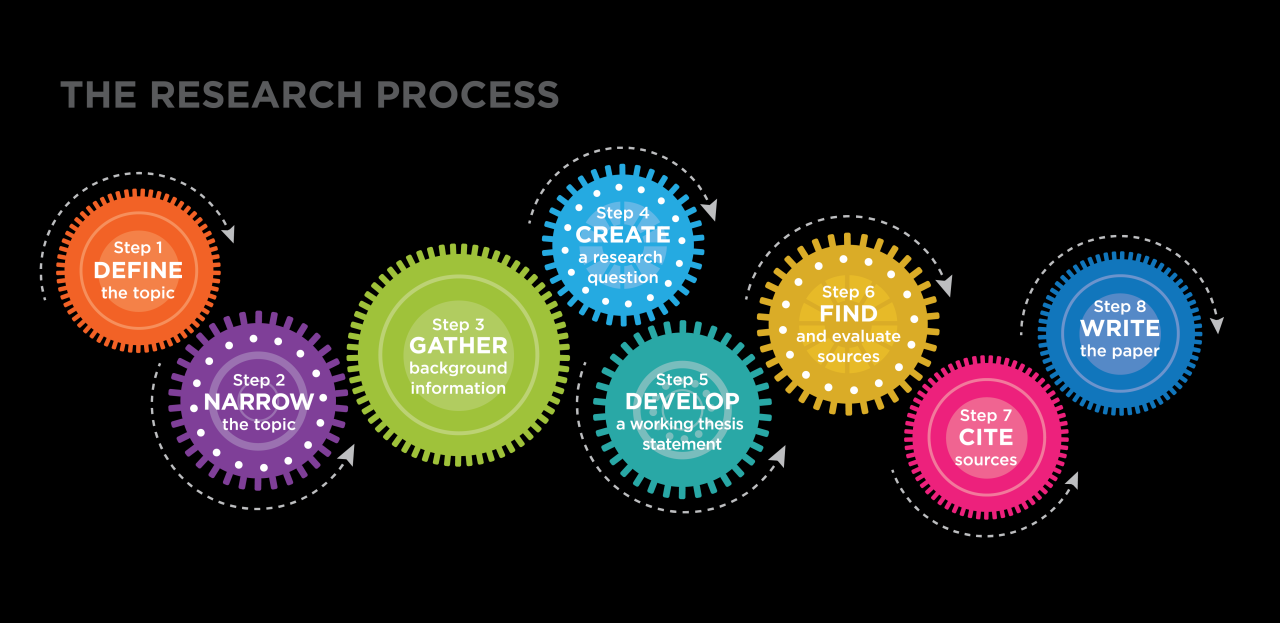
Creating a unique and visually appealing design is the cornerstone of crafting a memorable iron-on t-shirt. With Cricut Design Space, you have the tools to unleash your creativity, whether you are designing from scratch or customizing existing templates. This segment will guide you through the essential steps of creating your t-shirt graphic, ensuring it reflects your personal style and vision.To begin, utilizing Cricut Design Space is essential for crafting your design.
This user-friendly software allows you to create, edit, and arrange your graphics seamlessly. You can choose from a variety of shapes, text styles, and images available within the platform. Importing your custom images or fonts is another exciting feature, enabling you to personalize your design to make it truly yours.
Creating a Design Using Cricut Design Space
The first step in creating your design is to familiarize yourself with the tools available in Cricut Design Space. Start by selecting the “New Project” option. Here, you can access various design elements. You can choose shapes, add text, and even explore pre-made designs. The capability to upload your own images and fonts can significantly enhance your design.
To do this, follow these steps:
- Click on the “Upload” button on the left panel of the workspace.
- Select “Upload Image” and choose the image file from your device.
- Follow the prompts to select how you want your image processed (Print then Cut or Cut Image).
- After uploading, you can drag and drop the image onto your canvas for further editing.
Uploading Custom Images and Fonts
Personalization is key when designing your t-shirt graphic. By uploading custom images and fonts, you can ensure that your design stands out. The process of uploading fonts involves downloading font files from a source such as Google Fonts, and then installing them on your computer. Once installed, these fonts will be accessible in Cricut Design Space under the text tool.Here are important steps to follow for uploading images:
- Ensure that your images are in a compatible format (such as PNG or JPG) to avoid any issues during the upload process.
- For best results, use high-resolution images to maintain quality when resized.
- Make use of the “Remove Background” option to isolate your design element for a cleaner look.
Creating a Balanced and Visually Appealing Layout
A successful design requires attention to balance and visual appeal. When arranging elements on your canvas, consider the following tips to enhance your design:
- Align text and images symmetrically to create a cohesive look.
- Utilize contrasting colors to make important elements stand out.
- Incorporate negative space strategically; it helps in avoiding a cluttered appearance.
Here are additional tips for ensuring a balanced layout:
- Use a grid system within Design Space to help align objects accurately.
- Experiment with different sizes and placements to find the most visually appealing arrangement.
- Review your design by stepping back from your screen frequently to gauge how it looks from a distance.
Utilizing these strategies will not only improve the aesthetics of your design but also contribute to the overall impact of your t-shirt graphic, making it a true reflection of your personal style.
Preparing Materials for Iron-On Transfer
To successfully create your first iron-on T-shirt using a Cricut machine, it is essential to prepare your materials carefully. The right selection of iron-on materials, accurate measurements, and a well-organized workspace will ensure a smooth crafting experience and a professional-looking final product. This section will guide you through the types of iron-on materials available, how to measure and cut your fabric accurately, and the importance of preparing your workspace.
Types of Iron-On Materials
Understanding the various types of iron-on materials will help you choose the right one for your project. Here are some common options:
- Heat Transfer Vinyl (HTV): This is a popular choice for T-shirt designs. HTV comes in a variety of finishes such as matte, glossy, glitter, and metallic, allowing for creative customization.
- Printable Iron-On Transfer Paper: This material allows you to print detailed and colorful designs directly onto the transfer paper, which can then be applied to your T-shirt.
- Flock Vinyl: Flock vinyl has a soft, fuzzy texture and is often used for a more textured and raised effect on the T-shirt.
- Specialty Materials: There are also specialty materials available, such as reflective or glow-in-the-dark vinyl, that can add unique features to your designs.
Measuring and Cutting Fabric for the T-Shirt
Proper measurement of fabric is crucial for ensuring that your design fits perfectly on the T-shirt. Follow these steps for accurate measuring and cutting:
1. Select Your T-Shirt
Choose a blank, pre-washed T-shirt to avoid shrinkage issues after applying the iron-on transfer.
2. Measure the Design Area
Use a measuring tape to determine the desired size of your design, typically centered on the front of the T-shirt. A common dimension for adult T-shirts is about 10-12 inches wide for a standard design.
3. Cut the Fabric
Once you have the correct measurements, lay the T-shirt flat on a clean, even surface. Use fabric scissors to carefully cut any excess fabric, ensuring that the area is smooth and free of wrinkles.
Preparing the Workspace and Materials
An organized workspace is essential for a clean and efficient project. Here are some tips to prepare your workspace and materials effectively:
Clear Your Work Area
Ensure that your workspace is free from clutter. A clean, flat surface will help you manage your materials and prevent any accidents.
Gather Necessary Tools
Collect all tools you will need, including your Cricut machine, cutting mat, weeding tool, and heat press or iron. Having everything on hand will streamline the process.
Protect Your Surfaces
Lay down a protective covering, such as parchment paper or a silicone mat, to avoid any damage from heat or adhesive.
Check Your Materials
Ensure that your iron-on materials are compatible with your Cricut machine and that you are using the correct settings for cutting and applying.
“Preparation is key to creating a successful project. A well-organized workspace can significantly improve your crafting experience and results.”
Cutting Your Design

To achieve a professional finish when creating your first iron-on t-shirt with a Cricut machine, cutting your design accurately is paramount. This process ensures that the intricate details of your design are preserved and that the final product looks polished and clean. Properly selecting settings, mirroring your design, and loading materials correctly are critical steps in this phase.
Selecting Cutting Settings
Choosing the appropriate cutting settings for iron-on material is essential for a successful project. The Cricut machine offers different settings based on the type of material being used. To ensure you select the right one, consider the following points:
- For standard iron-on vinyl, set the machine to “Iron-On” mode.
- If using specialty materials, such as glitter or holographic iron-on, adjust the cutting settings accordingly, as these materials may require a deeper cut.
- Always refer to the Cricut Material Settings Guide found within the Cricut Design Space app to verify recommended settings for specific materials.
Importance of Mirroring the Design
Mirroring your design is a critical step when working with iron-on materials. This ensures that your design will appear correctly on the t-shirt after the transfer process. When cutting iron-on vinyl, the adhesive side must face down on the cutting mat, and mirroring flips the design so that it will align correctly when applied.
“Mirroring is crucial for successful application. Always check the mirror option before cutting your design.”
Loading Materials into the Cricut Machine
Properly loading the materials into the Cricut machine is vital for accurate cutting. Start by gathering the necessary materials, such as your iron-on vinyl, cutting mat, and weeding tools. Follow these steps to load the materials correctly:
- Place the iron-on vinyl with the shiny side down onto the cutting mat.
- Ensure the mat is clean and free of debris to avoid any interference during the cutting process.
- Align the edge of the mat with the left side of the Cricut machine.
- Press the load button on your Cricut machine to feed the mat into the machine.
Following these steps will ensure that your materials are correctly positioned for cutting, leading to a successful project outcome.
Weeding the Design

Weeding is an essential step in the process of creating your first iron-on t-shirt with a Cricut machine. This phase involves meticulously removing the excess material from your cut design to reveal the final graphic that will be transferred onto your t-shirt. Proper weeding ensures a clean and professional finish, making your project look polished and visually appealing.The weeding process can be simplified with the right techniques and tools.
Begin by placing your cut design on a flat surface, ensuring it is stable and easily accessible. Gently peel away the unwanted vinyl surrounding the design. It is advisable to use a weeding tool, which is specifically designed for this purpose. This tool features a pointed end that allows for precise removal of small pieces and intricate details. Be cautious when weeding around delicate areas of your design to avoid tearing.
Tips and Tools for Efficient Weeding
Utilizing appropriate techniques and tools can significantly enhance the weeding process. The following items can aid in effective weeding:
- Weeding Tool Set: A set that includes tools with various tips, such as a hook or spatula, can help tackle different types of designs.
- Light Box: Using a light box can illuminate your design from underneath, making it easier to see the cut lines and guiding your weeding efforts.
- Transfer Tape: Applying transfer tape over your design before weeding can help hold the elements in place, preventing them from shifting during the process.
To achieve the best results, consider the following tips:
- Start from the Corner: Begin weeding from one corner and work your way across the design to ensure you do not miss any small pieces.
- Use a Mat: A sticky mat can help keep the design in place while you weed, reducing the chances of it shifting.
- Be Patient: Take your time to avoid mistakes such as tearing the design or accidentally removing parts of it that are meant to remain.
“Proper weeding is crucial for achieving a clean and professional look in your iron-on t-shirt design.”
Common mistakes during weeding can lead to frustration and affect the overall quality of your project. It is important to be aware of these pitfalls to avoid them. One common error is rushing through the weeding process, which can result in damaged designs. Additionally, using the wrong tools can complicate the task; ensure that your tools are appropriate for the material you are working with.
Lastly, neglecting to check the design for any remaining excess material before applying the iron-on transfer can lead to unsightly results on the final product. Being mindful of these issues will help you achieve a successful t-shirt design.
Applying the Iron-On Design to the T-Shirt
Applying an iron-on design to your t-shirt is the final step in creating a personalized piece of apparel. This process requires precision, attention to detail, and an understanding of the materials involved. By following the correct procedures and settings, you can ensure that your design adheres well and lasts over time.When applying an iron-on design, using a heat press or a household iron is crucial.
Each method requires slightly different approaches, but the core principles remain the same. The following section Artikels the essential steps and considerations to keep in mind during the application process.
Step-by-Step Procedure for Application
Understanding the proper technique for applying an iron-on design is vital to achieving the best results. Below is a detailed procedure to follow regardless of whether you are using a heat press or an iron:
1. Prepare the T-Shirt and Design
Ensure that the t-shirt is clean and free from wrinkles. Place the iron-on design in the desired location on the shirt.
2. Heat Setting
Preheat your heat press or iron to the appropriate temperature based on the material of the t-shirt. Generally, cotton and cotton blends require a temperature of around 305°F (150°C), while polyester fabrics typically need around 270°F (132°C).
3. Cover the Design
Place a piece of parchment paper or a Teflon sheet over the design. This protects both the design and the iron or heat press from direct contact.
4. Pressing the Design
If using a heat press, place the shirt under the press and apply firm pressure for the recommended time, usually between 10 to 30 seconds depending on the material. For an iron, press down firmly on the design, moving the iron in circular motions for the same duration without lifting it.
5. Cooling Period
Allow the design to cool for a few seconds before peeling off the carrier sheet. For some materials, a cold peel is recommended, meaning you should let it cool completely before removing the carrier.
6. Final Press
After removing the carrier sheet, it’s advisable to cover the design again with parchment paper and give it one last press to ensure full adhesion.
Temperature and Timing Settings
Different materials require specific temperature and timing settings to ensure that the iron-on design adheres properly without damaging the fabric. Below are the recommended settings for various materials:
| Material Type | Temperature (°F) | Pressing Time |
|---|---|---|
| Cotton | 305°F | 10-15 seconds |
| Cotton Blend | 305°F | 10-15 seconds |
| Polyester | 270°F | 10-12 seconds |
| Polyester Blend | 270°F | 10-12 seconds |
| Nylon | 250°F | 8-10 seconds |
Safety Tips While Using Heat Appliances
Using heat appliances requires awareness and safety measures to prevent accidents. The following tips are essential for a safe application process:
- Always work in a well-ventilated area to avoid inhaling fumes from the heat or adhesive.
- Use heat-resistant gloves to protect your hands from burns while handling hot materials.
- Ensure that the iron or heat press is placed on a stable, heat-resistant surface to prevent it from tipping over.
- Keep your workspace clear of flammable materials, such as paper or fabric that is not part of your project.
- Turn off and unplug your heat press or iron immediately after use to avoid accidental burns or fires.
By adhering to these steps and safety tips, you can successfully apply your iron-on design, ensuring a professional-looking finish to your custom t-shirt project.
Caring for Your Iron-On T-Shirt
To ensure that your custom-designed iron-on t-shirt maintains its vibrant look and longevity, it is essential to follow specific care and maintenance practices. Proper washing, storage, and troubleshooting can significantly extend the life of your t-shirt, allowing you to enjoy your creation for many occasions to come.
Washing and Maintaining Your T-Shirt
Taking care of your iron-on t-shirt begins with the correct washing techniques. To maintain the integrity of the transfer and prevent deterioration, consider the following guidelines:
- Always turn your t-shirt inside out before washing. This protects the iron-on design from friction and direct exposure to detergent.
- Utilize cold water settings on your washing machine. Hot water can weaken the adhesive used in the iron-on design, causing it to peel over time.
- Choose a gentle cycle to prevent excessive agitation that may lead to damage.
- Opt for mild detergents that do not contain bleach or harsh chemicals, as they can degrade the material and the iron-on graphic.
Storing Your T-Shirt
Proper storage is vital in preventing damage to your iron-on t-shirt. Here are some effective practices:
- Store your t-shirt in a cool, dry place away from direct sunlight. Prolonged exposure to sunlight can cause the colors to fade and the adhesive to weaken.
- Avoid folding the t-shirt in a way that places pressure on the design. Instead, hang it or lay it flat to maintain its shape and prevent creases.
- Use breathable storage containers or garment bags, as plastic covers can trap moisture and create an environment conducive to mildew.
Troubleshooting Common Issues
Despite following care guidelines, you may encounter some common issues post-application. Here’s how to address them:
- If the design starts to peel, gently press it back down using an iron set to low heat with a protective cloth in between. This can re-adhere the design effectively.
- For areas with bubbling or lifting, carefully reapply heat to those specific sections while ensuring not to overheat the fabric, which may lead to scorching.
- If the design appears cracked or worn, consider patching it with a similar iron-on material or using fabric paint to bring back its vibrancy.
- In cases where the t-shirt has become discolored, a gentle wash with a color-safe bleach alternative can sometimes restore its original hue.
Creative Ideas for Future Projects
Creating custom designs with Cricut and iron-on materials opens up a world of creative possibilities. Beyond the realm of T-shirts, there are numerous items that you can personalize, allowing you to express your unique style or promote a specific theme. Engaging with trends in design can also fuel your inspiration for future projects, ensuring that your custom creations remain fresh and relevant.
Items for Customization
There are numerous items that can be customized using Cricut and iron-on materials. This versatility allows you to craft personalized gifts or enhance your wardrobe. Here are some items that can be tailored to your taste:
- Hoodies and Sweatshirts: Perfect for layering and comfort, you can apply designs that reflect your personality or favorite quotes.
- Baby Onesies: Customizing baby clothing with fun graphics or adorable sayings makes for excellent gifts for new parents.
- Canvas Bags: Personalize tote bags for shopping or everyday use, making them stylish and functional.
- Aprons: Ideal for cooking enthusiasts, you can add humorous or inspirational phrases to make cooking more enjoyable.
- Pillowcases: Create custom décor for your home by adding designs that match your interior style.
- Pet Apparel: Personalize clothing for your furry friends with their names or fun graphics.
Trends in T-Shirt Designs
Staying updated with current trends can inspire your future projects. Popular design trends often reflect cultural shifts and personal expression. Here are some trending themes:
- Minimalist Designs: Simple, clean graphics that convey messages without clutter are increasingly popular.
- Vintage Typography: Retro fonts and styles are making a comeback, often paired with modern graphics to create a unique look.
- Nature-Inspired Graphics: Designs featuring floral patterns, earthy tones, and landscapes resonate with those who appreciate the outdoors.
- Social Justice Messages: T-shirts that promote awareness for various causes are meaningful and impactful.
- Pop Culture References: Incorporating quotes or imagery from movies, music, or memes can appeal to specific fan bases.
Resources for Design Inspiration
Finding new ideas for your projects is essential for keeping your creativity flowing. Numerous resources are available to help spark your imagination:
- Design Bundles: This platform offers a wide variety of graphics and fonts that can be directly used in your Cricut projects.
- Pinterest: A fantastic tool for discovering design ideas; you can search for s related to your interests and save your favorite pins.
- Instagram: Following creators and influencers in the crafting community can provide valuable insights and inspiration.
- YouTube Tutorials: Many crafters share their techniques and ideas through video tutorials, perfect for visual learners.
- Cricut Design Space: The built-in design software offers templates and ideas that can help you get started on your next project.
“The only limit to your creativity is your imagination.”
Concluding Remarks
In conclusion, creating your first iron-on T-shirt with a Cricut is a rewarding endeavor that encourages creativity and personal expression. By following the Artikeld steps and tips, you can embark on this exciting journey, producing not only a unique T-shirt but also gaining the skills for future crafting projects. Remember, the world of design is vast, and with your newfound knowledge, you are well-equipped to explore endless possibilities.